How to ·
How to Make a Realistic AI Pet Video That Still Looks Like Your Pet
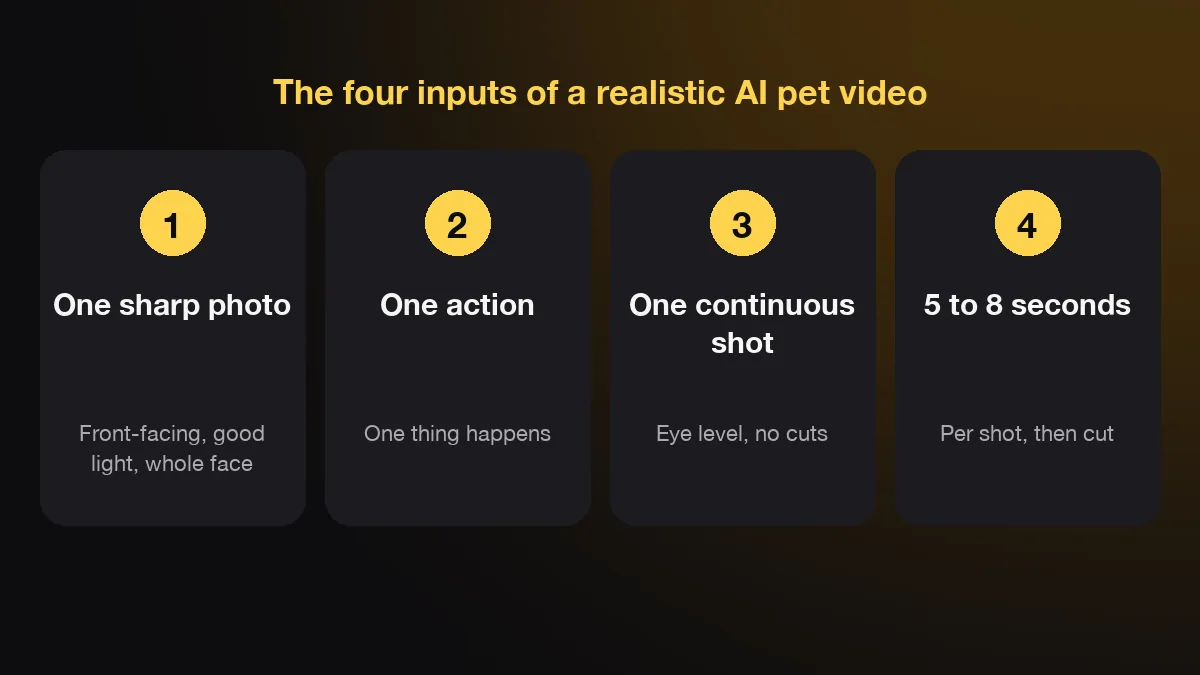
A realistic AI pet video comes from four inputs: one sharp photo, one simple action, one continuous shot and a short clip of 5 to 8 seconds. Get those right and most current video models look real. We make AIPet, and this guide uses our own failed takes to show what breaks the look and how to fix it.
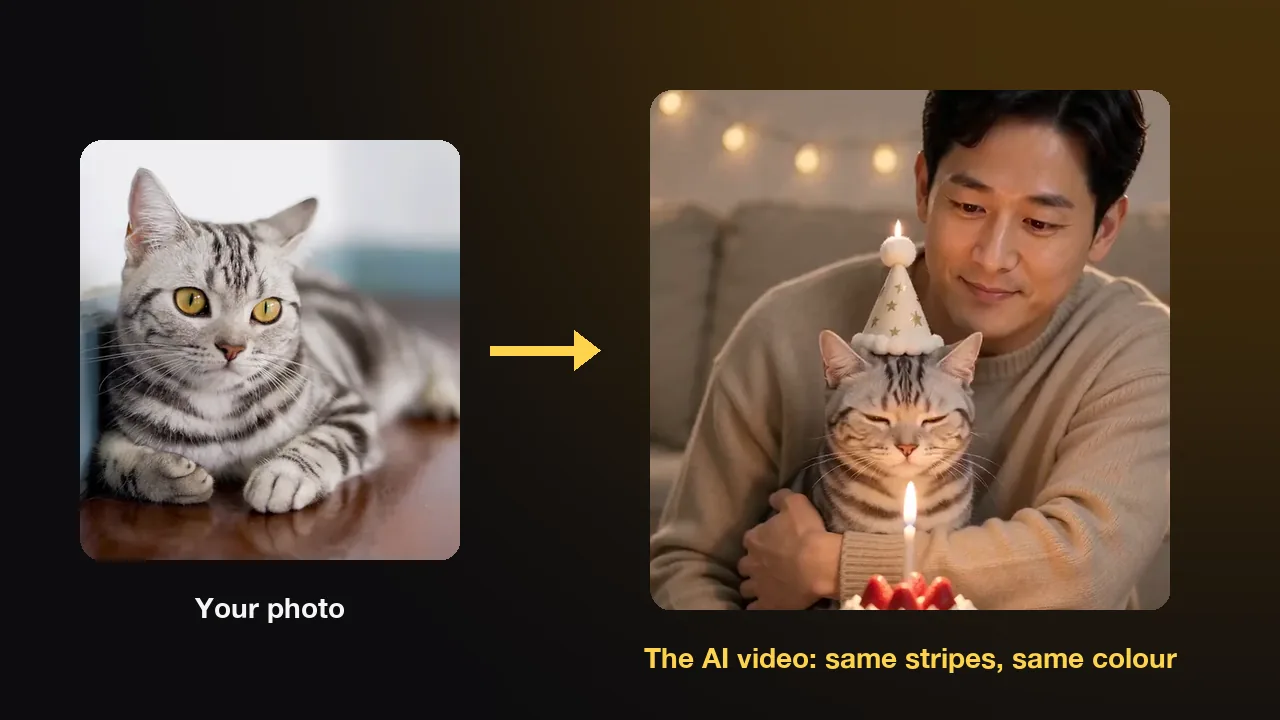
What makes an AI pet video look real?
An AI pet video looks real when your pet looks like itself, moves like an animal and stays inside one believable shot. The video model sets the ceiling, but your inputs decide how close you get to it. The same model can give you home footage or an obvious fake from the same photo.
| Input | Looks real | Looks fake |
|---|---|---|
| Photo | Sharp, front-facing, good light, whole face | Blurry, dark, face turned away, two pets |
| Action | One thing happens | Three things happen in five seconds |
| Shot | One continuous shot at eye level | Many cuts, or a camera that flies around |
| Length | 5 to 8 seconds per shot | One long shot that keeps going |
| Behaviour | The pet moves like a dog or cat | The pet walks like a person the whole time |
The model still matters. The newest models, such as Seedance 2.0, Veo 3.1 and Kling, draw fur, light and motion far better than tools from a year ago. If you are still choosing a tool, we compare them in AI pet video generators compared.
Most fake-looking clips we see are an input problem, not a model problem. A busy prompt with three actions makes every model redraw the pet several times, and each redraw is a chance for the coat, the ears or the legs to change. A clip that runs too long gives small errors time to pile up. A camera that circles the pet forces the model to invent sides of your pet it has never seen in the photo.
So the work comes in a fixed order. Pick the photo first, then write one action, then check the result before you post it. The photo is where most realism is won or lost, so it comes next.
Which photo gives the most realistic result?
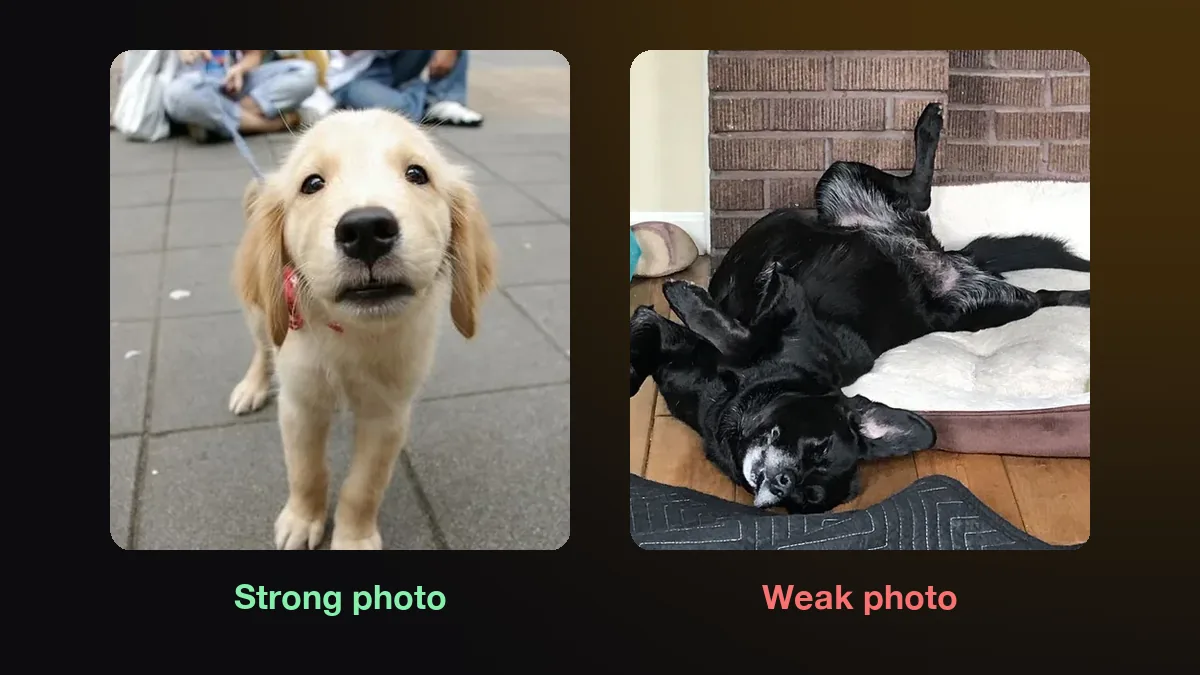
The most realistic results come from a sharp, front-facing photo of one pet, taken at its eye level in soft daylight, with the whole face and both eyes visible. The model copies what it can see, so every detail missing from the photo is a detail the model has to invent.
A normal phone photo is enough. Resolution matters less than focus and light. A sharp phone photo beats a blurry high-resolution one, because the model reads fur texture and markings from the sharp edges.
Some photos look great to you and still fail. A dog sleeping upside down on a bed, with its face turned sideways and half of its black coat in shadow, gives the model almost nothing to work from. The result is usually a generic dog of the right colour, not your dog. Flash is another trap. It flattens fur and can leave bright spots in the eyes that the model then copies.
Coat matters too. Black and very dark coats lose detail in shadow, so shoot them near a window. White coats lose detail in direct sun, so shoot them in shade. Rare markings, such as a split face or one white paw, come through only when the photo shows them clearly.
AIPet checks each photo's size and format before anything renders, and warns you when a photo is too small to keep the coat and markings true. Whatever tool you use, try the sharpest photo you have before you blame the model. Once the photo is right, the prompt decides what happens in the shot.
How do you write a prompt for a realistic pet video?
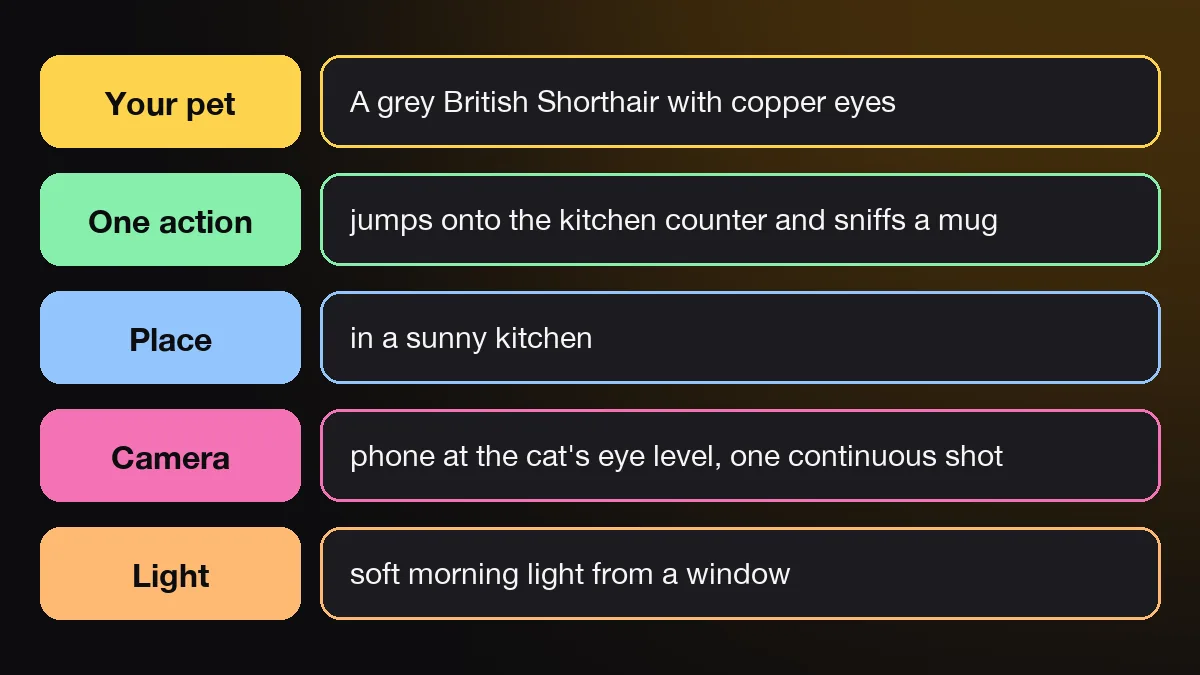
A realistic prompt names your pet, one action, one place, the camera and the light, in that order. Keep it to one shot and one moment. Something like "my grey British Shorthair jumps onto the kitchen counter, one continuous shot at eye level, soft morning light" already gives a model most of what it needs.
| Part | What to write | Example |
|---|---|---|
| Your pet | Breed, coat colour, markings | A grey British Shorthair with copper eyes |
| One action | One verb, one moment | Jumps onto the kitchen counter and sniffs a mug |
| Place | One room or one spot | A sunny kitchen |
| Camera | Eye level, one continuous shot | Phone held at the cat's eye level, no cuts |
| Light | One light source | Soft morning light from a window |
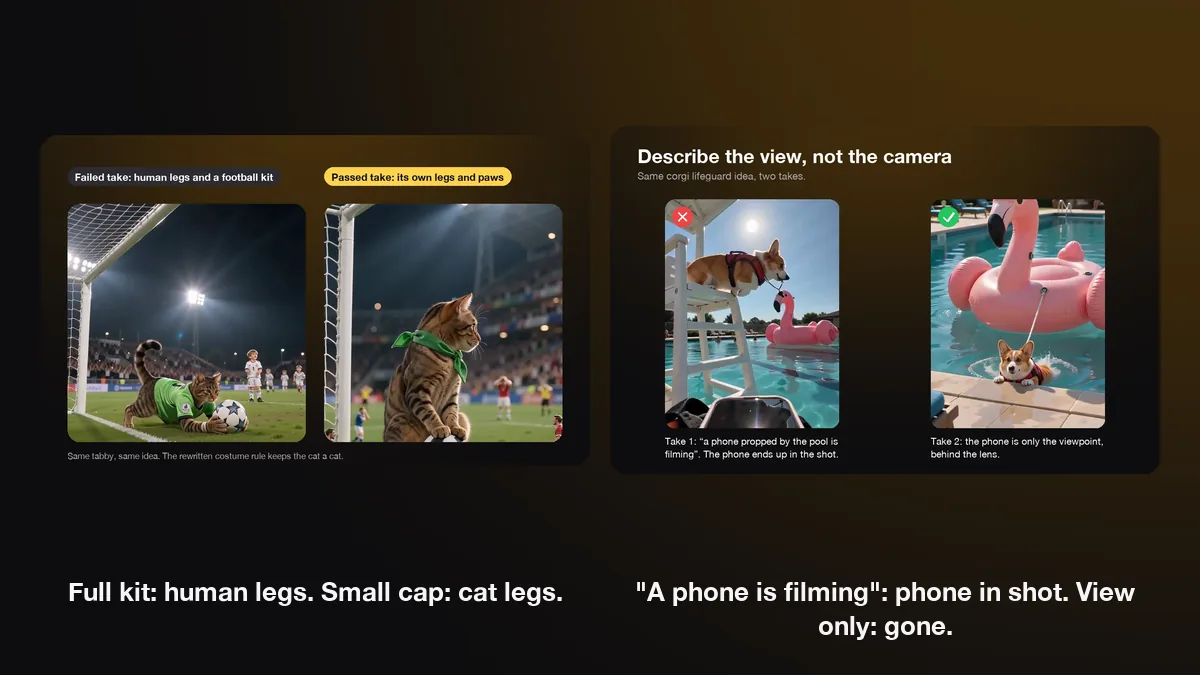
Three things to leave out, all learned from our own renders. First, don't describe the camera as an object. Our first corgi lifeguard plan said a phone propped by the pool was filming, and the model drew the phone into the bottom of the frame for the whole clip. Describe the view, not the device.
Second, keep costumes small. A cap, a vest or a bandana reads well. Our first goalkeeper cat wore a full kit with shorts and socks, and it came out with human legs. Third, skip readable text. Signs, labels and screens come out as garbled letters.
If you would rather not write prompts, the AIPet idea maker takes one line about what happens and writes the full shot plan for you. It keeps the same pet in every frame, one clear moment, a steady camera, sound that matches the action, and no text or extra animals. You can try it as an AI cat video generator with your own cat's photo. Even a good prompt fails sometimes, so the next section shows what failure looks like.
Why do realistic AI pet videos go wrong?
Realistic AI pet videos usually go wrong in one of four ways: the pet changes, the body breaks, the physics break or something extra appears in the frame. All four come from the model redrawing the scene frame by frame and guessing wherever the photo or the prompt left a gap.
- The pet changes: markings fade, the coat turns a shade lighter or darker, or the ears change shape after a turn.
- The body breaks: a fifth paw appears, a leg melts into the floor, or a cat in a costume grows human legs, as our goalkeeper did.
- The physics break: water splashes the wrong way, snow falls up, or a jump has no weight.
- Something extra appears: a phone, a second animal or a sign full of nonsense letters.
Physics jokes need a test. We gave the same "the box keeps getting bigger" idea to two video models. One played it as an ordinary delivery and the box never grew. The other made the box swell until it filled the doorway. If a clip depends on something impossible happening, render a short test first before you spend credits on the full film.
Every one of our failures was fixed by changing the input, not by rerunning the same prompt and hoping. The goalkeeper got a smaller costume, and the lifeguard plan described the view instead of the phone. That is why we keep a written list of these rules and check every template's sample by hand before it goes live. When an AIPet render fails, the credits come back. A clip with no obvious glitch still has one more test to pass: does your pet behave like your pet?
How can you tell if it looks like real pet behaviour?
A clip looks like real pet behaviour when the tail, ears and body match the pet's mood and the pet moves on four legs for anything fast. Viewers know how dogs and cats move, even if they couldn't say why, so a wrong tail or a stiff body reads as fake within a second.
Tails and ears carry most of it. AKC's guide to dog body language notes that a slower, sweeping wag that involves the whole body usually signals a relaxed, friendly dog. If your AI dog is meant to be happy and its tail flicks stiffly, the clip feels off. For cats, PetMD's guide to cat body language says happy cats hold their ears upright and facing forward. A content cat in your video should look like that, not flat-eared.
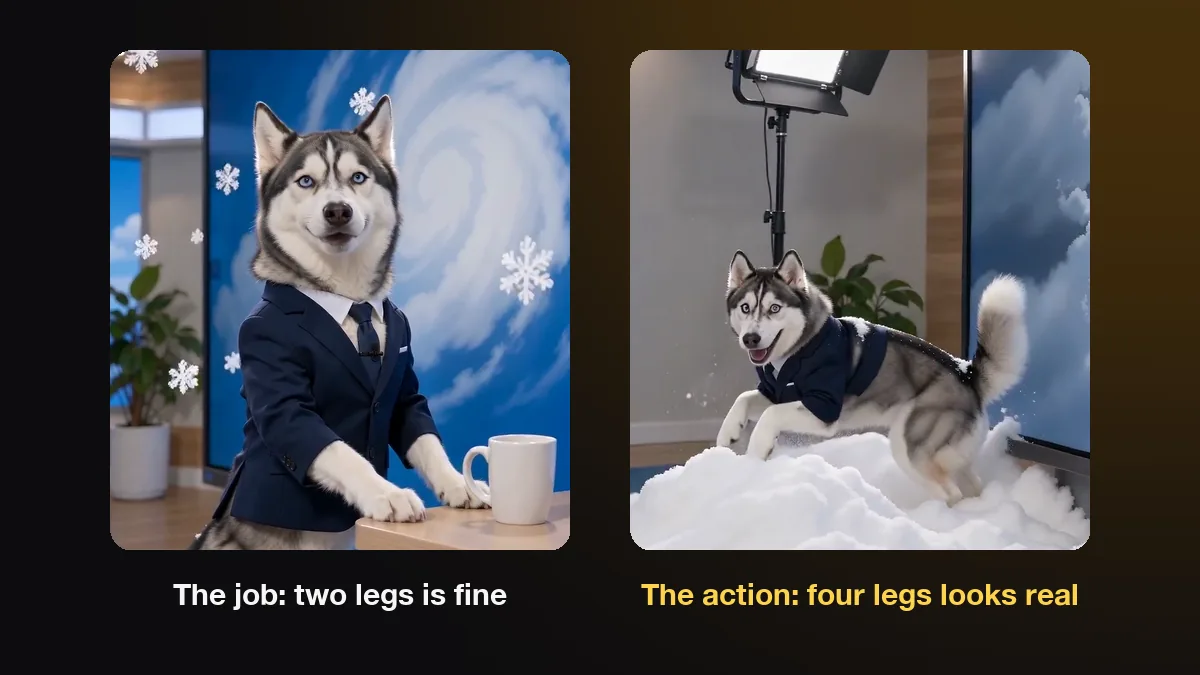
Movement is the other half. Standing on two legs suits the job part of a joke, such as a husky reading the weather forecast at a desk. For the chase, our husky ran into the snow on all four legs, and that looked far more natural. Let the pet do the human job, then let it be a dog or cat for the action.
Check your own pet as well as the species. If your dog always carries its tail low, a high, curled tail in the video is a small lie that you will notice even if strangers don't. Pause on the fastest movement and on the last frame, because those are where behaviour slips most. Realism is not only about looking ordinary, though, and the next section is about when to break it on purpose.
Can a realistic AI pet video still be funny?
Yes, and realism makes the joke land. A realistic pet in an impossible situation reads as deadpan, because viewers believe the pet first and then the situation surprises them. A cartoon pet doing the same thing is just a cartoon, so the surprise is gone.
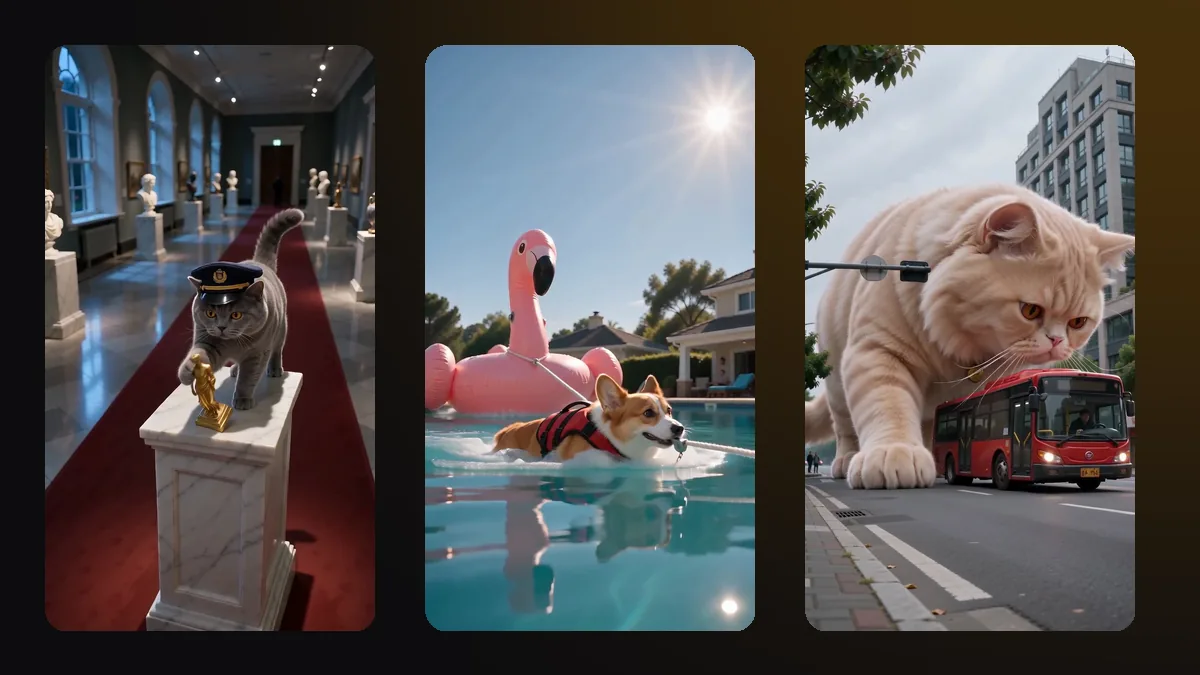
The pattern that works is a real-looking pet, one impossible job and a real animal instinct at the end. A cat guards a museum and then knocks the gold figurine off its pedestal. A corgi works as a pool lifeguard and tows a flamingo float bigger than itself. A giant cat sniffs a city bus with the same face it uses for a new box.
Keep the realism rules even when the situation is absurd. One action, one place, one continuous shot and the pet's own face and coat. The joke can be impossible, but the fur, the light and the way the pet moves should look filmed. That contrast is what makes people share it.
Most AIPet templates are built this way: a realistic version of your pet, dropped into one ridiculous scene. You can browse them in the pet video templates. For quiet home footage instead, keep the action ordinary: a jump onto the sofa, a slow walk toward the camera or a head tilt at a sound.
Realistic AI pet video FAQ
Which AI makes the most realistic pet videos?
The newest video models, such as Seedance 2.0, Veo 3.1 and Kling, make the most realistic pet footage in 2026. The app around the model matters for likeness and ease of use, but the model sets how real fur, light and motion can look. Inputs matter as much: the same model looks fake with a busy prompt or a blurry photo.
Can I make a realistic AI video from an old or blurry photo?
You can try, but expect a less faithful result. The model invents whatever the photo doesn't show, so a blurry photo gives you a generic pet of the right colour. Pick the sharpest photo you have, crop it so the face is large, and avoid photos where the pet is moving. A sharp old photo works better than a blurry new one.
How long should a realistic AI pet video be?
Keep each shot to 5 to 8 seconds. Errors in fur, legs and background build up the longer a single shot runs. For a longer video, join several short shots, each with one action. In the AIPet idea maker you choose 5, 10 or 15 seconds, at 7 credits per second, and AIPet plans each clip as a short storyboard.
Why does my pet look different in the AI video?
Usually because the model treated your photo as a style hint and drew a typical member of the breed. Rare markings, eye colour and ear shape go first. A sharper, front-facing photo helps, and so does naming the coat and markings in the prompt. Tools that use the photo as an identity reference keep the likeness better across shots.
Can my pet talk in a realistic AI video?
Yes, with one short line. A single sentence spoken to the camera lip-syncs well, and a speech does not. Start from a photo where the mouth is closed and the face is clear. AIPet's talking pet app takes a typed line and a voice style, and your pet says it on camera at 14 credits per second.
Do I need to label a realistic AI pet video?
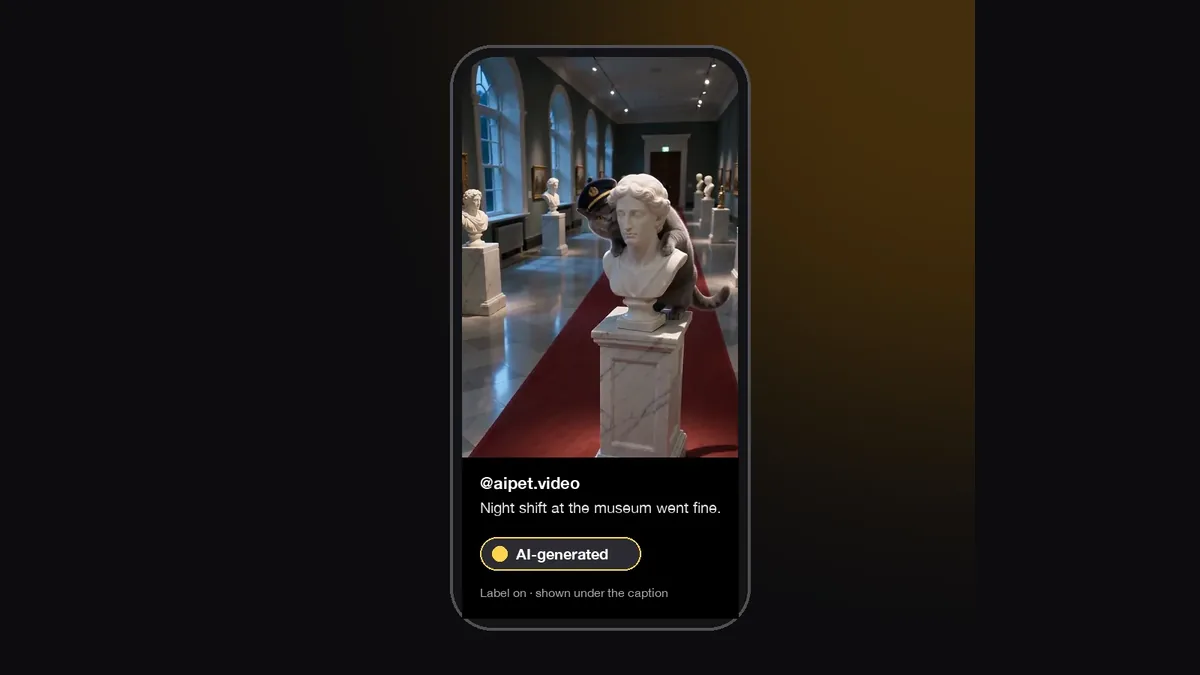
On YouTube, yes. YouTube asks creators to disclose AI-generated content that looks realistic, and a realistic video of your pet falls on that side. Other platforms have similar labels. Labelling also keeps people from mistaking a funny clip for real footage, which protects you when the clip spreads.
Next step
Pick the sharpest photo of your pet, write one action in one place, and keep the shot short. To skip the prompt writing, make a realistic AI dog video from one photo and one line, and check the result against the behaviour tips above before you post it.
Sources
- American Kennel Club, Stephanie Gibeault, "How to Read Dog Body Language", updated October 13, 2026, accessed November 3, 2026.
- PetMD, Alison Gerken, DVM, DACVB, "How To Read a Cat's Body Language", May 8, 2023, accessed November 3, 2026.
- AIPet render notes: goalkeeper cat and corgi lifeguard first takes, the husky weather sample and the "growing box" test on two video models, October 2026.