Talking pet
Talking Pet App: make your pet say anything from one photo
Upload a photo, type a line, pick a voice. Your pet says it out loud, mouth moving on every word, in about a minute.
Up to 40 words · 7 credits per second
3 · Voice
Your photo stays private.
Make your pet talk in 3 steps
 01
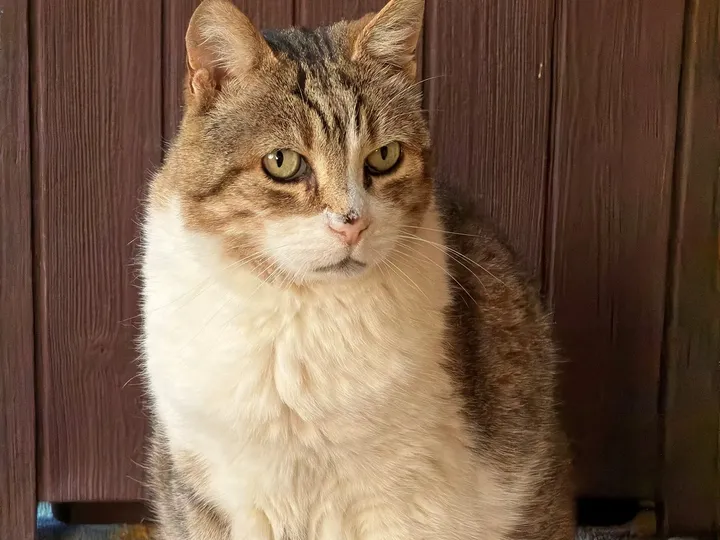
01Add a photo
One clear photo with your pet's face toward the camera. The room in the photo stays as it is.
 02
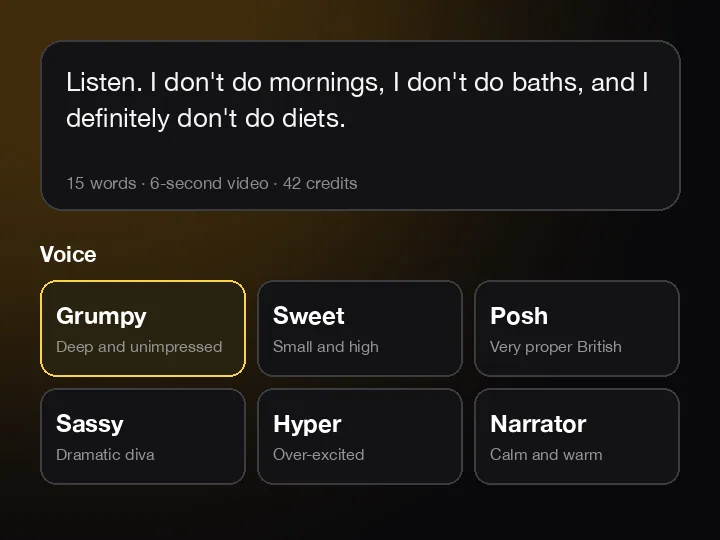
02Type a line, pick a voice
Up to about 40 words. Grumpy, sweet, posh, sassy, hyper or narrator.
 03
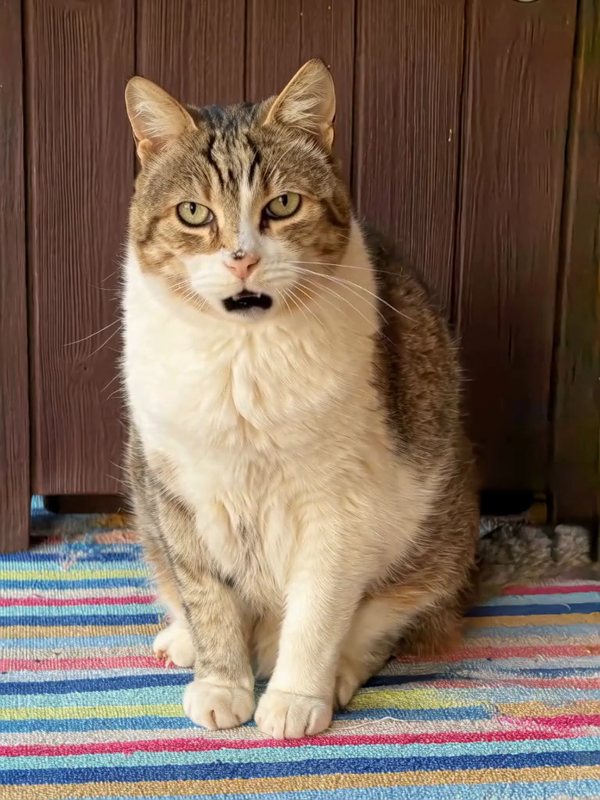
03Hear your pet say it
About a minute later your pet says it out loud, mouth in time with the words. Saved in My videos.
Three pets, three voices
Cats, dogs, even a pony. Any pet with a clear face can talk, and each voice style changes the whole joke.
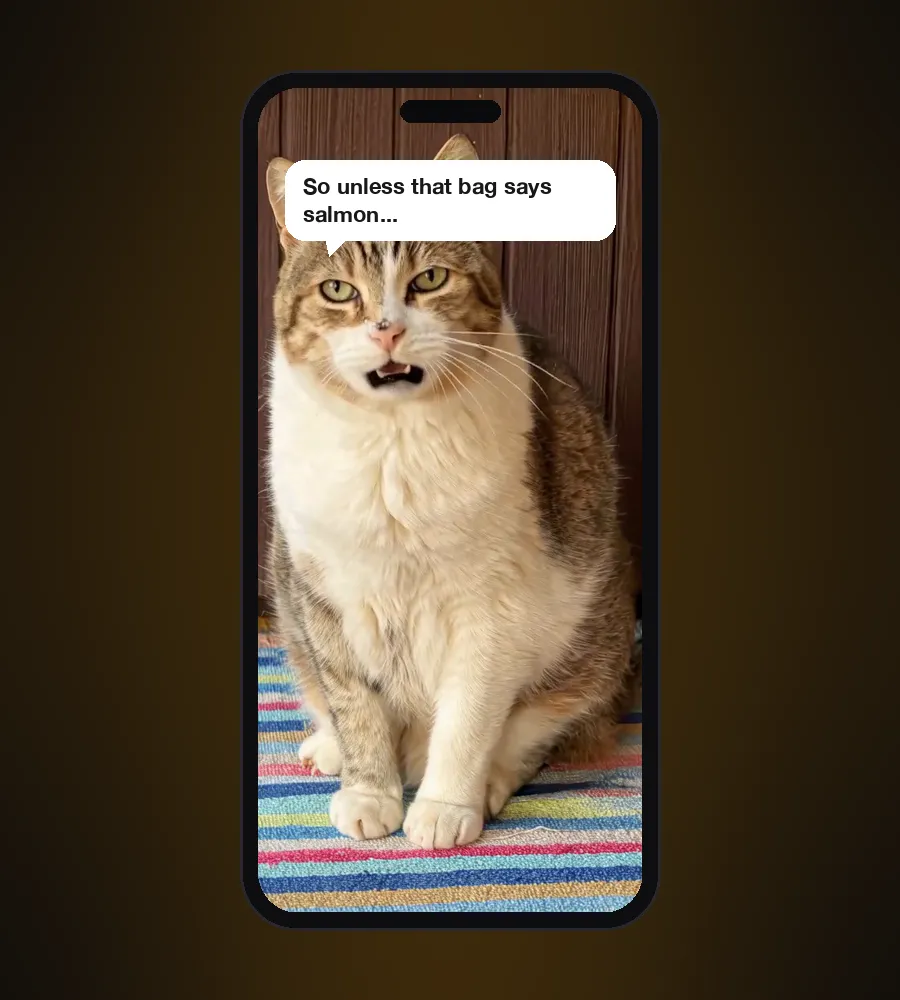
- Listen. I don't do mornings, I don't do baths, and I definitely don't do diets. So unless that bag says salmon, we have nothing to talk about.Poldino · CatGrumpy voice
- Is that the leash? Are we going out? We're going out! Best day ever! I love the park. I love you!The corgi · DogHyper voice
- Good afternoon. I'll have the organic carrots, lightly chilled. And please, no more of those bargain apples.The pony · HorsePosh voice
Pick a voice that fits your pet
Six voice styles. The AI voices your line in the one you pick, so the same photo can sound completely different.
Grumpy
Deep and unimpressed
Old cats, bulldogs, anyone who is over it
Sweet
Small and high
Kittens, puppies, small dogs
Posh
Very proper British
Cats who own the house
Sassy
Dramatic diva
The diva of the family
Hyper
Over-excited
Retrievers, terriers, zoomies
Narrator
Calm and warm
Nature-documentary moments
Things to make your pet say
Birthday wishes
“Happy birthday. I'd sing, but I'm a cat. Take the purr.”
Apologies
“The plant was already dying. I just helped.”
Announcements
“Big news: we're moving. I've already picked the sunny spot.”
Daily complaints
“You call this a walk? I've seen longer walks to the fridge.”
Holidays
“Merry Christmas. The tree is mine now. That's the deal.”
Just because
“I don't say it enough. You're my favorite human. Now open the treats.”
Which pet photos work best
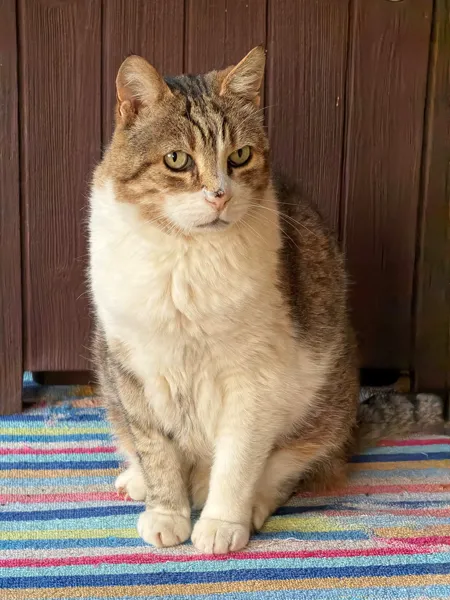
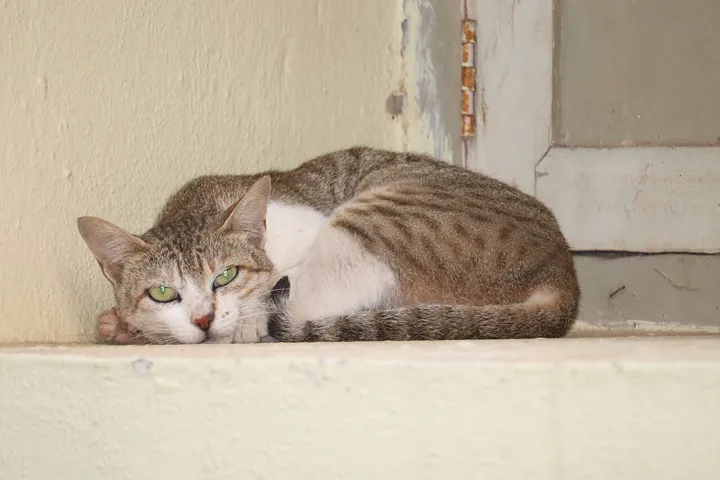
Close-ups work. So do photos where your pet sits or stands, as long as the face is clear. Use a sharp photo, ideally 1,000 pixels or more on the short side. From small photos the AI may redraw details like fur and markings. Skip photos with a toy or a treat in the mouth.
A talking pet app that runs in your browser
There's nothing to install. Older talking pet apps make you mark the mouth by hand and move only the lips on a still photo. Here your whole pet comes alive: head tilts, blinks, breathing, and a voice made to match.
- Works in Safari and Chrome on iPhone, Android and computers
- MP4 download, shaped like your photo, ready for TikTok, Reels and Shorts
- Every video is saved in My videos
- Your photo stays private and is deleted once your video is ready
What it costs
- 7 credits per second of video, worked out from your line. A 10-second video is 70 credits.
- Pro comes with 1,000 credits a month (fourteen 10-second videos), Pro Max with 2,500. Credit packs start at 250 credits.
- New accounts can try it free: one short line of about 15 words, watermarked.
- If a video fails, the credits go straight back.
7
credits per second of video
Talking pet FAQ
Is the talking pet app free?+
You can try it free: one short line of about 15 words, with a watermark. After that it costs 7 credits per second of video.
Do I need to download an app?+
No. It runs in your browser on iPhone, Android or a computer.
Can I use my own voice?+
Not yet. You type the line and pick one of six voice styles, and the AI voices it.
How long can the line be?+
About 40 words, which makes a video of up to 15 seconds. Shorter lines make shorter, cheaper videos.
Can my pet sing?+
Not yet. Lines are spoken, not sung.
Does it work with dogs and other pets?+
Yes. Cats, dogs, horses and any other pet with a clear face toward the camera. The examples on this page are a cat, a corgi and a pony.
Which languages work?+
We tested English. Other languages may work, but we haven't tested them yet.
How long does it take?+
About a minute. You can close the page; the video lands in My videos.
Where does my photo go?+
Into private storage on your account. It's deleted once your video is ready, and your video stays private unless you share it.
Is it real?+
No. Every frame and the voice are made by AI from your photo. Label it as AI-generated when you post it.
Your pet has opinions. Now everyone can hear them.
Make my pet talkWant moves instead of words? Try AI dog dance or AI cat dance.