How-to ·
How to Make AI Videos of Your Dog (or Any Other Animal)
To make an AI video of your dog, you need one sharp photo and one sentence about what happens. An image-to-video model starts from the photo and acts out the scene, usually in 5 to 15 seconds with sound. You can do it in one tool in a few minutes, or chain four tools for a longer film. Here are both routes, and what went wrong when we made ours.
Can you make an AI video of your own dog?
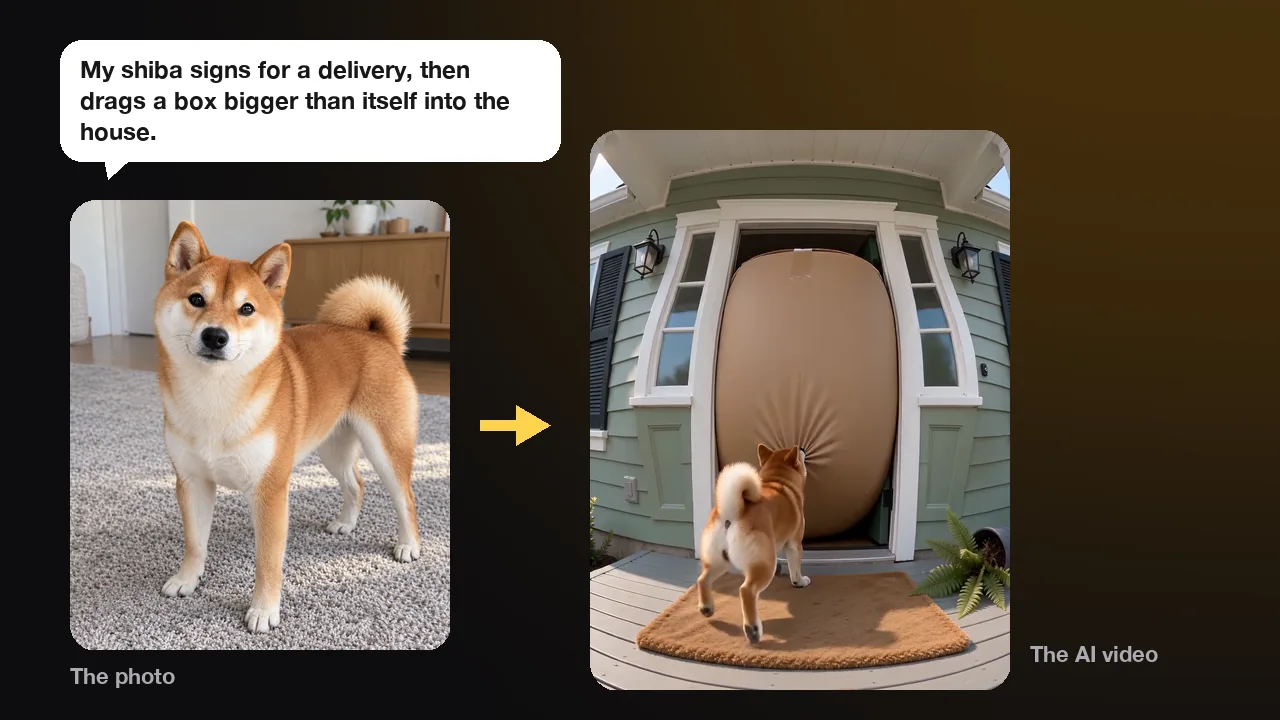
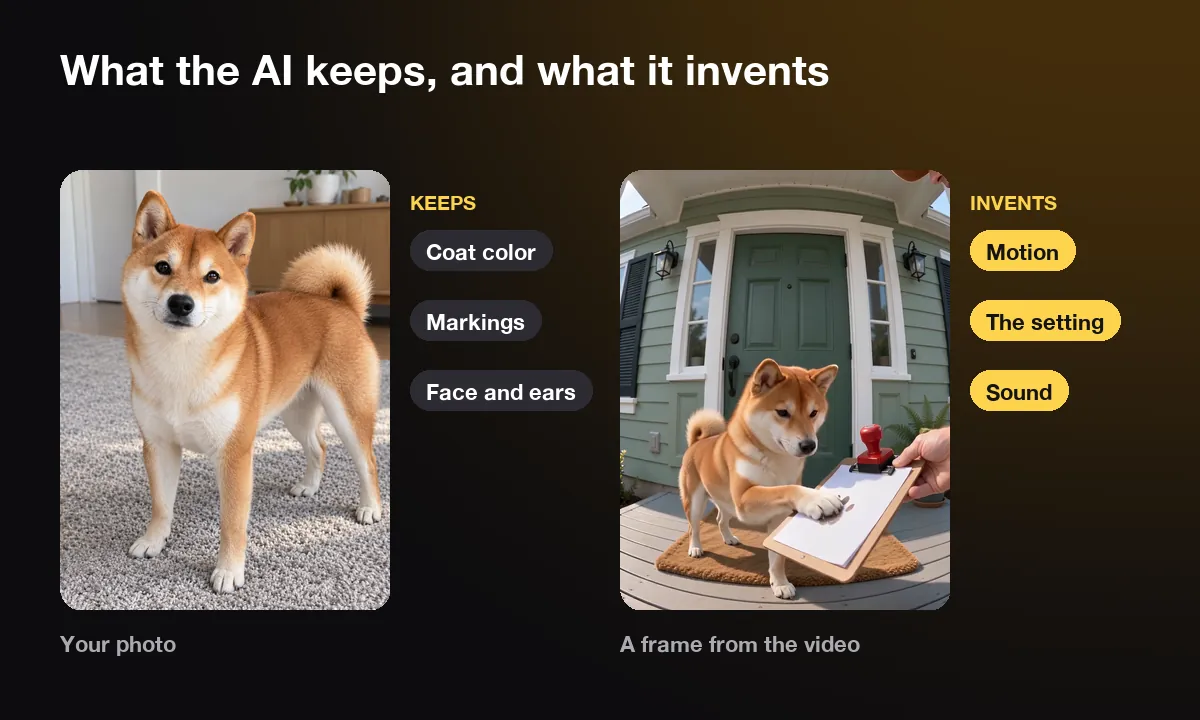
Yes. Upload a clear photo of your dog to an image-to-video tool and describe what happens. The AI keeps your dog's coat, markings and face from the photo, and it invents the motion, the setting and the sound. You get a short clip of your dog doing something it never did.
These models learned from huge amounts of video how things move: how a dog runs, how water splashes, how a box slides across a porch. Your photo tells the model which dog to draw, and your sentence tells it what to do. It then predicts the clip frame by frame, so fur, ears and tail move the way they would on camera.
That makes some ideas easy and others hard. Everyday chaos works well: a dog with a job, a delivery gone wrong, a weather report that ends in snow. Big, simple actions are fine too, like diving into a pool or dragging something huge. Fine detail is harder. Paws that should hold a pen can start to look like fingers, and any text or logo in the scene usually comes out garbled. Some models also refuse to break physics, so a box that should grow may stay box-sized.
Length is the other limit. Most tools stop at 10 or 15 seconds per clip, so a one-minute film is several clips joined together. One short spoken line fits inside a clip. For a longer speech, a tool made for it, such as our talking dog app, gives cleaner lip sync.
How do you make an AI dog video in one tool?
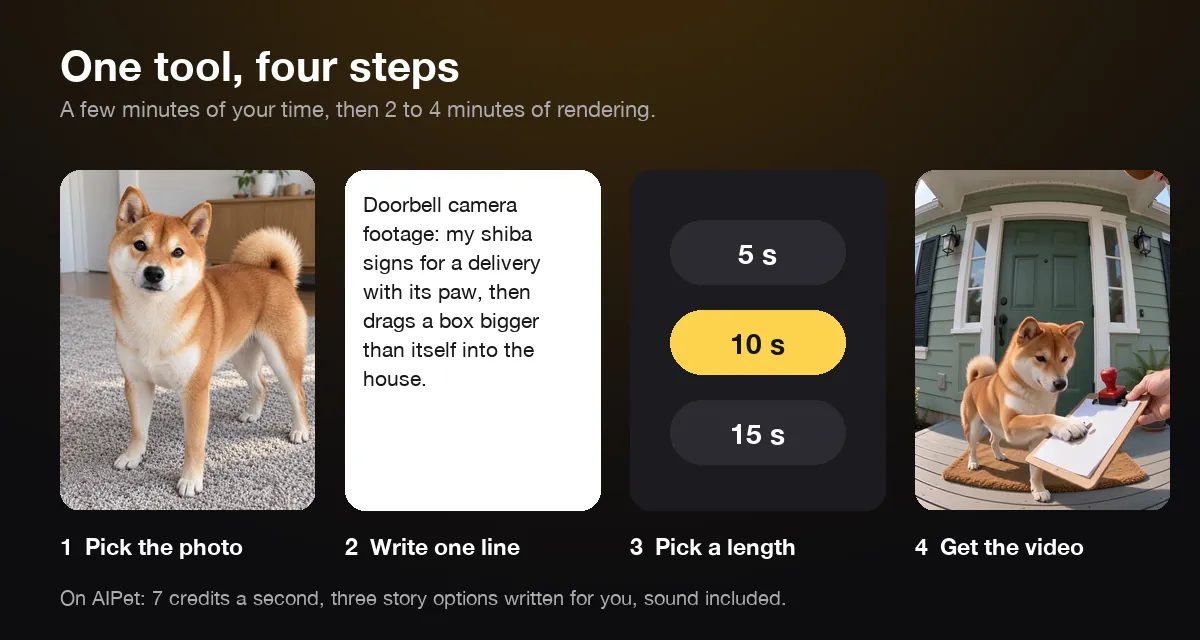
Pick a photo, write one line about what happens, choose a length and wait a few minutes. A tool built for pets also writes the shot plan and adds the sound, so you don't need any other app. Here is how it works on our AI dog video generator.
- Pick the photo. Your dog faces the camera, the whole face is visible, and the light is good. For a story with running or jumping, a photo that shows the whole body helps.
- Write what happens in one sentence. Our shiba sample started from "Doorbell camera footage: my shiba signs for a delivery with its paw, then drags a box bigger than itself into the house."
- Choose 5, 10 or 15 seconds. Ten seconds is enough for a setup, a twist and a look at the camera.
- Pick one of three story options. AIPet turns your line into three short shot plans. You pick the one you like, or skip them and send your line as it is.
- Watch it twice. Rendering usually takes 2 to 4 minutes. Watch once for the joke and once for glitches: the face, the paws and anything that shouldn't be in the shot.
Each second costs 7 credits, so a 10-second video is 70 credits. The smallest credit pack is 250 credits for $5.99, which covers three 10-second videos, and Pro includes 1,000 credits a month, enough for fourteen. If a video fails, the credits go back. This tool has no free preview. New accounts get one free preview elsewhere: a story of you and your pet, or a talking-pet clip.
Cats use the same tool with cat examples. Our guide on how to make AI cat videos covers the cat side.
How do creators make AI animal videos with several tools?
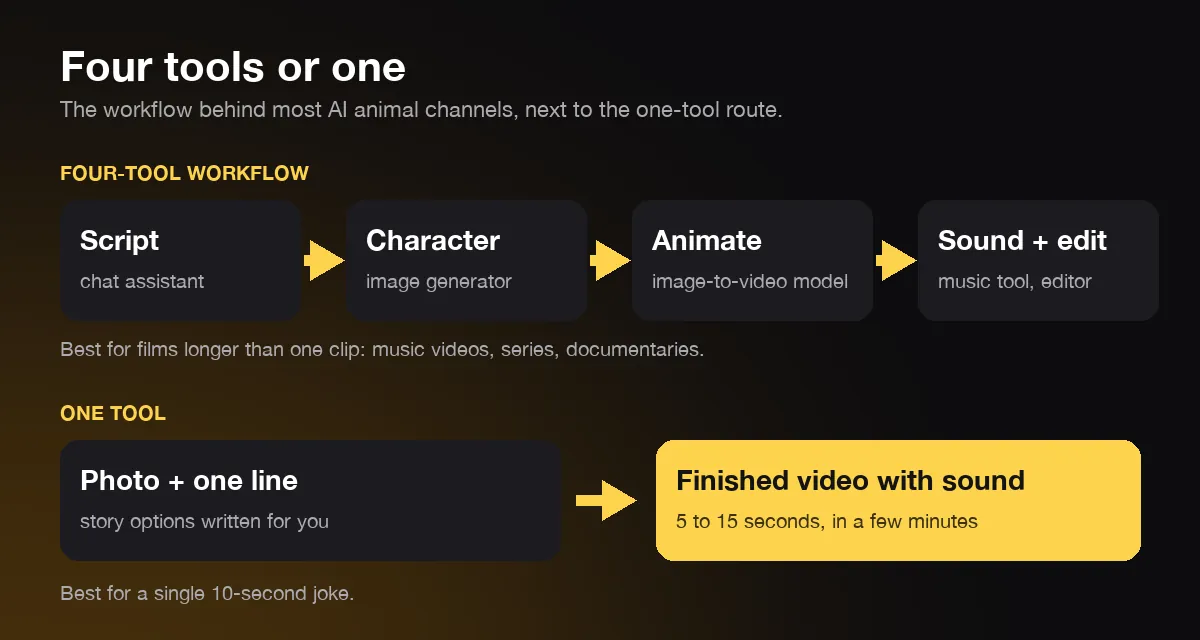
Most AI animal channels chain four steps: write a script, make a character image, turn each image into a short clip, then add sound and edit. Each step uses a different tool. It takes longer, but it lets you build a film longer than one clip.
| Step | What you do | Typical tools |
|---|---|---|
| 1. Script | Write the idea and a shot list, one line per shot | ChatGPT or any chat assistant |
| 2. Character | Make one image of the animal to reuse in every shot, or use your pet's photo | An image generator such as Nano Banana, Leonardo or Firefly |
| 3. Animate | Turn each image into a 5 to 10-second clip | An image-to-video model such as Kling, Hailuo or Seedance |
| 4. Sound and edit | Add music, voices and captions, join the clips, export 9:16 or 16:9 | A music generator such as Suno, and an editor such as CapCut |
Step 2 is the one people underrate. Every clip is generated on its own, so a dog that changes color between shots breaks the film. Creators lock the look with one character image, and they use it as the start of every clip. With your own pet, your photo plays that part.
The workflow pays off for anything longer than one clip: a music video, a series with the same character, or a nature-style documentary. One creator's YouTube tutorial promises a full music video of the creator's dog in 15 minutes. The tutorial itself runs almost 18 minutes and walks through lyrics, a generated song, a consistent character, animation and a cost breakdown. For a single 10-second joke, one tool is faster, because it does steps 1, 3 and 4 in one go.
What should you write for your dog's video?
Write one scene with one clear action and one twist: what job your dog has, what it does, and what goes wrong. "My corgi is the pool lifeguard and hauls a giant inflatable flamingo back to shore" works. "A cute dog having fun" gives the AI nothing to act.
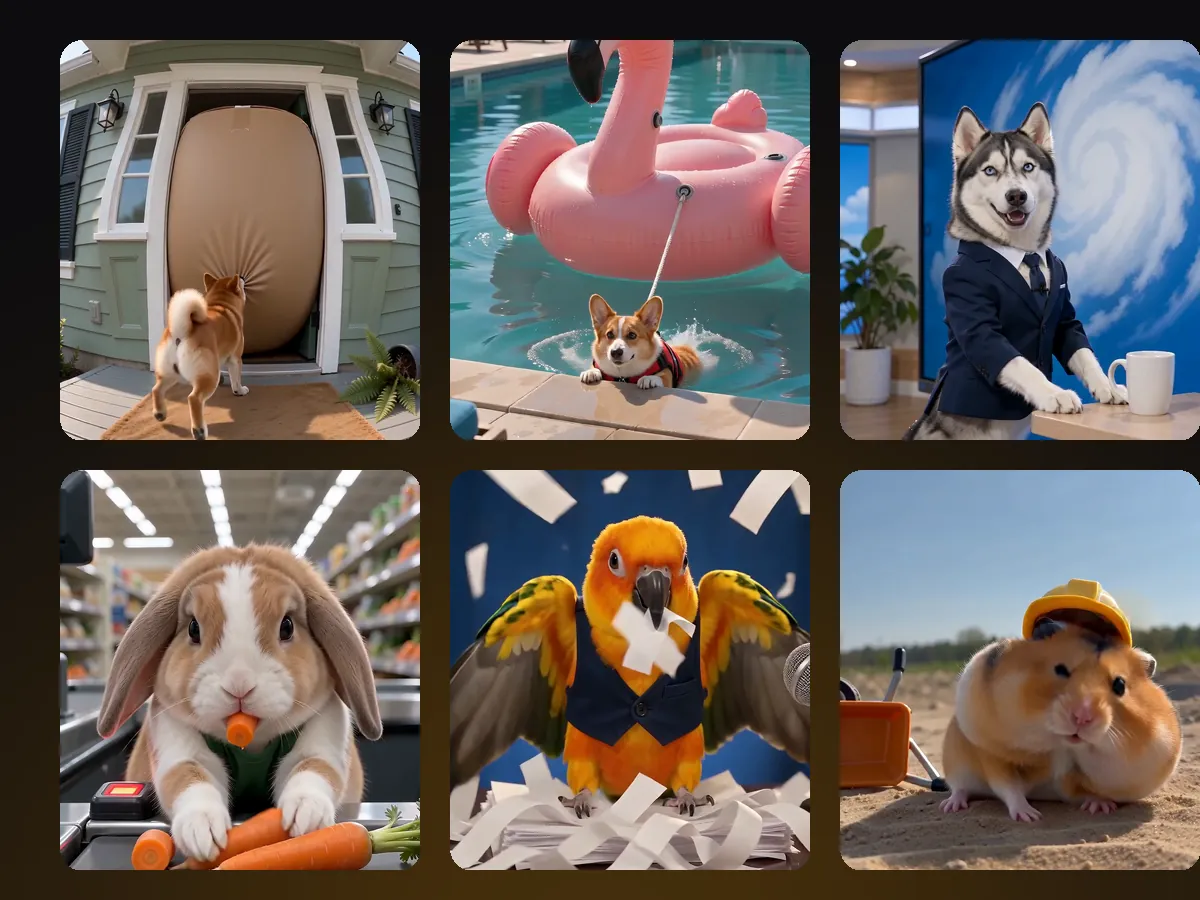
Jobs and chores make good scenes, because everyone knows how they should go and your dog can do them badly. Our three dog samples were a shiba signing for a delivery, a corgi lifeguard and a husky reading the TV weather forecast. Each one has a moment where things get out of hand: the box grows until it fills the door, the flamingo is bigger than the dog, and real snow buries the studio.
Three things we learned from making them:
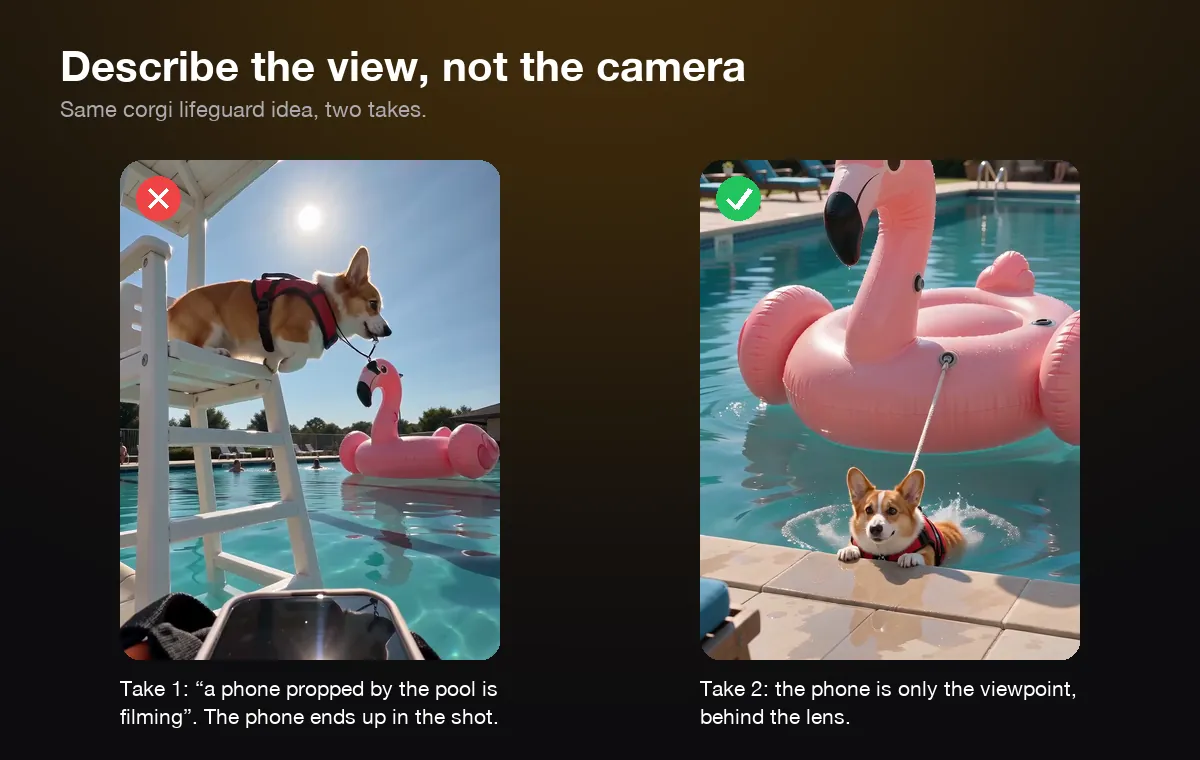
- Describe the view, not the camera. Our first lifeguard plan said a phone propped by the pool was filming. The model drew the phone into the bottom of the shot for the whole clip. We rewrote it so the phone was only the viewpoint, behind the lens, and the phone disappeared from the shot.
- Test physics jokes in a short clip. We gave the same "box gets bigger" idea to two video models. One played it as an ordinary delivery. The other made the box swell until it filled the doorway.
- Let the dog be a dog for the action. Standing on two legs suits the job part, like reading the forecast. For the chase, our husky ran into the snow on all four legs, and that looked far more natural.
Keep text and brands out of the idea too. Signs, screens and logos come out as nonsense letters, so ask for a scene without readable text.
How do you keep the video looking like your dog?
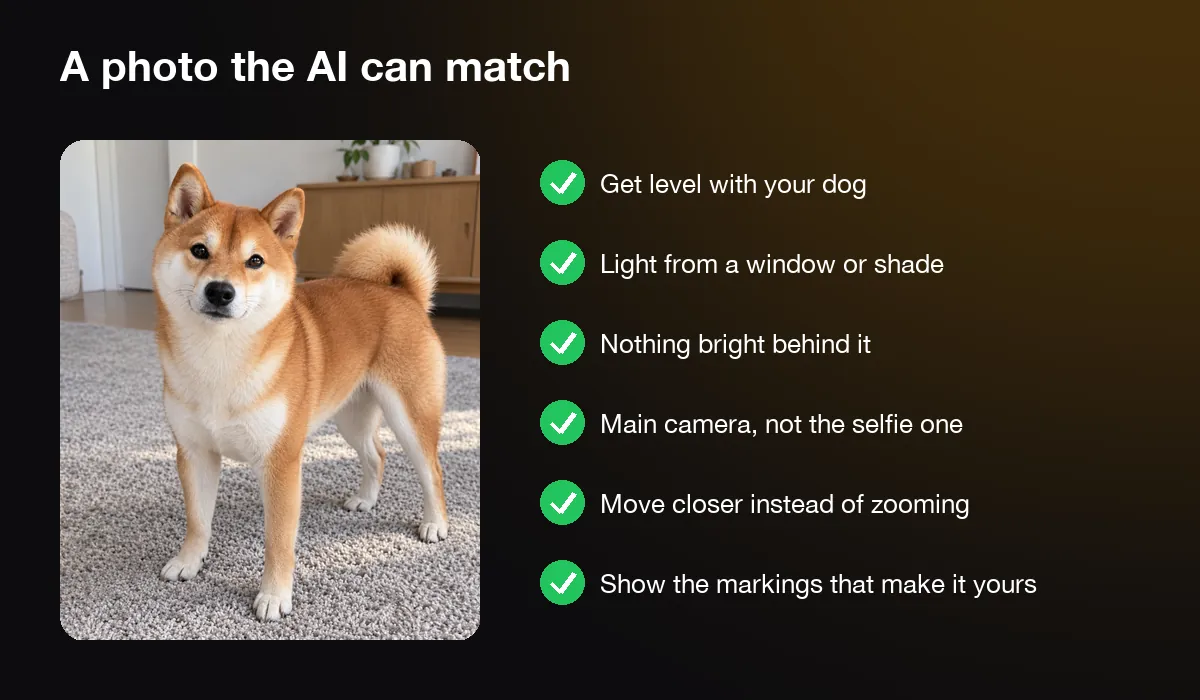
Start from a sharp, well-lit photo where your dog faces the camera with its whole face visible. The AI copies what it can see. A blurry, dark or side-on photo makes it guess, and its guesses drift toward a generic dog of the same breed.
Good pet photos follow the same rules for AI as for an album. AKC's tips for photographing dogs say to get level with the dog, use light from a window, and avoid light from behind it. They also say to use the main camera, not the grainier selfie camera, and to move closer rather than zoom in. Each of those keeps fur detail sharp, and the AI needs that detail to match your dog.
Pick a photo that shows what makes your dog yours: one floppy ear, a white blaze, a patch over one eye. If a marking isn't in the photo, the AI can't keep it. For action ideas, a full-body photo also helps it get the legs and tail right.
Then check the result before you post it. Compare the eyes, the markings, the ear shape and the tail with the photo. If the breed or color has shifted, try a better photo rather than adding more description to the line. On AIPet the photo goes into private storage on your account and is deleted once the video is ready.
Can you make AI videos of rabbits, parrots and other animals?
Yes. Any animal with a clear face works, but tell the tool which animal it is. Video models have seen far more cats and dogs than hamsters, so naming the species in every shot helps the model keep a rabbit a rabbit from the first frame to the last.
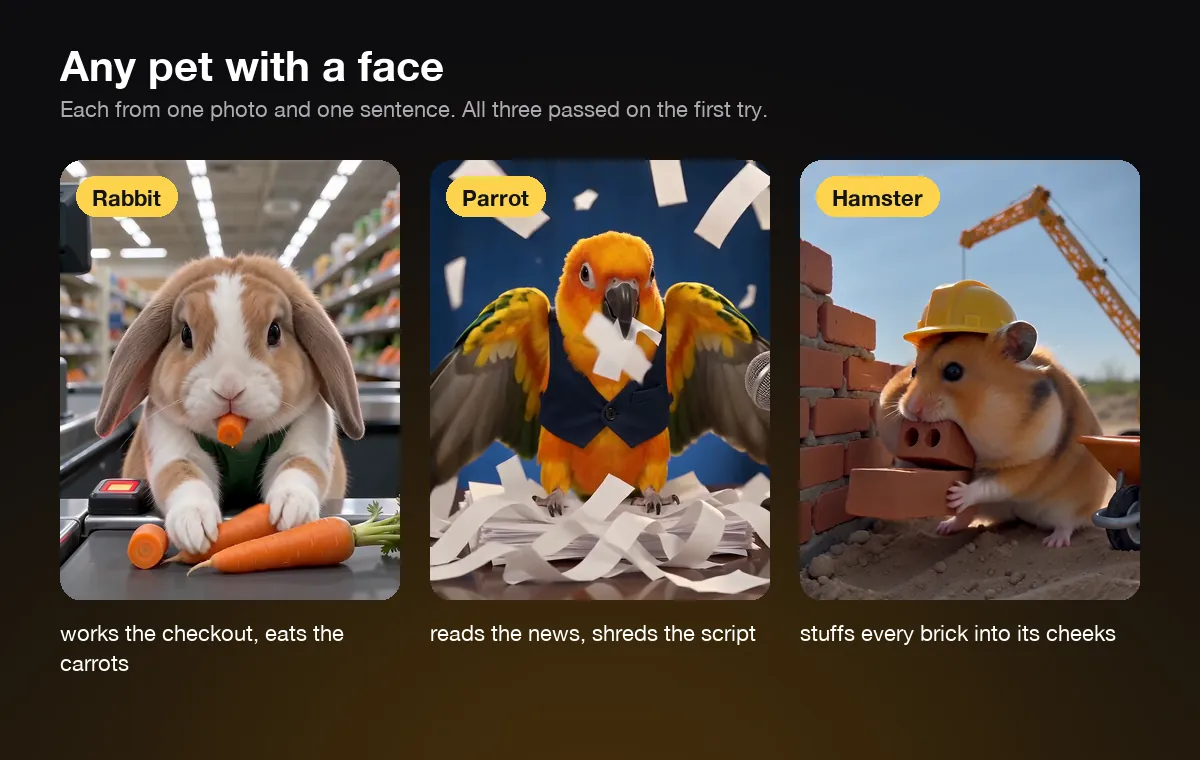
On our AI animal video generator you type the animal before your idea, and every shot in the plan uses that word. We made three samples there: a lop-eared rabbit working a supermarket checkout and eating the carrots as it scans them, a sun conure reading the evening news and shredding the script, and a hamster on a building site stuffing every brick into its cheeks. All three passed on the first try, each from one photo and one sentence. We didn't have a real rabbit, parrot or hamster on hand, so the starting photos were AI-generated stand-ins. A real photo of your pet works the same way.
The best ideas lean on what the animal really does. Rabbits chew, parrots shred and talk, hamsters stuff their cheeks, and horses stare at you over a fence. The joke lands because it is true to the animal, even inside an absurd job.
Small pets need a little more care with the photo. Get down to their eye level, fill the frame with the animal, and make sure both eyes are visible.
AI animal video FAQ
Is there a free AI animal video generator?
Some tools offer a free trial, but free usually means a watermark, a few low-resolution seconds or a daily limit. On AIPet the dog and animal video tools are paid at 7 credits a second. New accounts get one free preview: a story of you and your pet, or a talking-pet clip.
How long does it take to make an AI dog video?
With one tool, a few minutes of your time plus 2 to 4 minutes of rendering for a 10-second clip. With the four-tool workflow, plan on an afternoon for a one-minute film, most of it spent fixing shots that came out wrong.
How do people make AI animal videos look completely real?
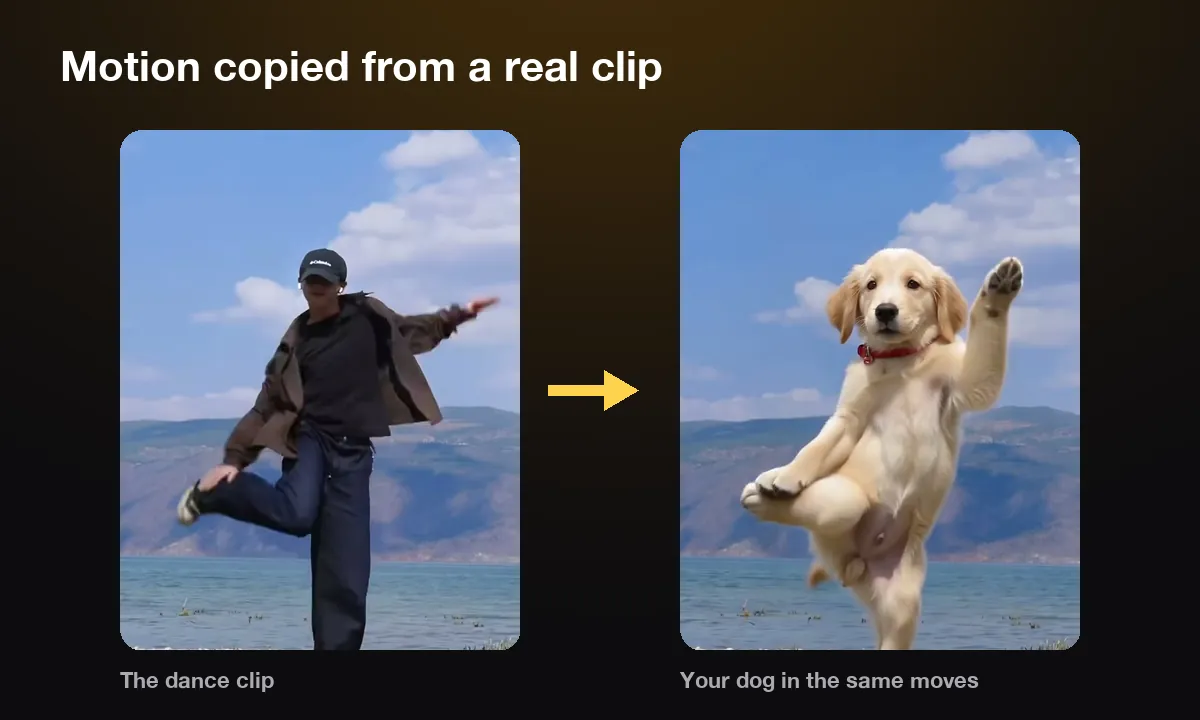
Some copy motion from a real video. The model takes the moves from a clip of a person, such as someone skateboarding or dancing, and puts the animal into them. Our AI dog dance works that way: you upload a dance clip and your dog's photo, and your dog takes the dancer's place.
Can my dog talk in the video?
Yes, one short line fits inside a story clip, with the mouth in sync. For a longer speech in a voice you pick, use a talking pet tool instead.
Do I have to label an AI video of my dog?
On YouTube, yes for realistic clips. Its rules ask creators to disclose realistic altered or synthetic content, and a real-looking dog doing something it never did counts. TikTok asks for AI labels in the same cases. A label rarely hurts a funny clip.
Next step
Pick the sharpest photo of your dog, write one line about a job it would be terrible at, and make your dog's video. For a rabbit, a parrot or anything else with a face, start on the AI animal video generator.
Sources
- American Kennel Club, "Say Cheese! Take the Best Photos of Your Dogs", accessed November 3, 2026.
- YouTube Help, "Disclosing use of altered or synthetic content", accessed November 3, 2026.
- Google search results for "how to make ai animal videos" and "how to make ai videos of my dog" (US English), including the AI overview and the YouTube tutorials listed there, viewed November 3, 2026.