How-to ·
How to Make AI Cat Videos Starring Your Own Cat
To make an AI cat video of your own cat, start from one clear, front-facing photo and a story short enough for 10 seconds. A photo-to-video tool animates the cat you live with, not a random one. This guide covers the photo, the story, the prompt, sound, the glitches to fix and the AI label you need when you post.
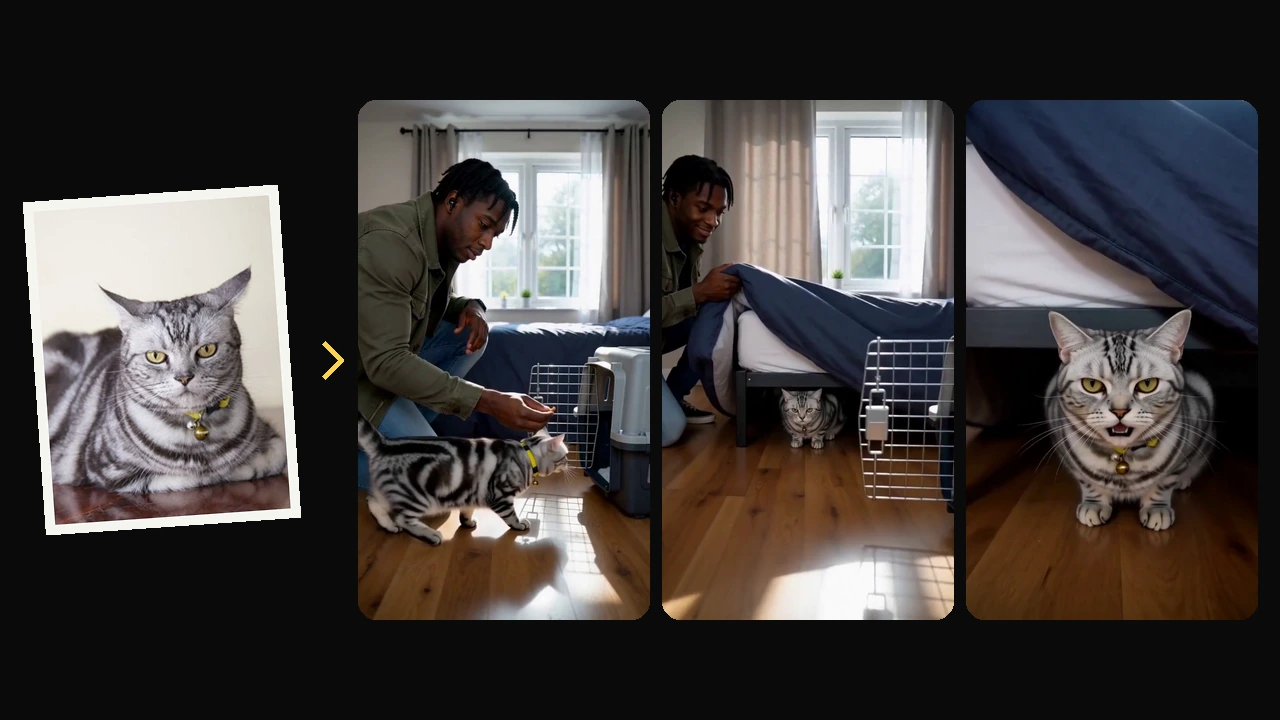
What's the easiest way to make an AI cat video?
The easiest way is a photo-to-video tool. You upload one photo of your cat, write one line about what happens or pick a ready-made story, and get a 5 to 15 second clip back in a few minutes. Tools that start from a text prompt invent a cat instead of using yours.
Most viral AI cat channels use made-up cats, and that difference decides which route fits you.
A text-to-video model draws a cat from scratch. That suits a channel built around a recurring character, such as an orange cat chef or a cat detective, where nobody needs the cat to match a real one. You write the prompt, generate a few takes and keep the best. Creators who run these channels often chain several tools: an image model for a consistent character, a video model to animate it, and an editor to join the clips.
A photo-to-video tool starts from your photo and uses it as the reference for how the cat looks. A video of your own cat works only if people who know your cat recognize it in the first second. "That's exactly how she sits" is the reaction you want, and you get it only when the face, the markings and the body shape survive the trip from photo to video.
You can build that chain yourself or let one tool do it. Dan Taylor-Watt chained several image, video, voice and music tools to make a "final adventure" film for Elvis, Taylor-Watt's late cat, and spent roughly £29 worth of credits. On AIPet, the AI cat video generator takes your photo and one line, writes three story options and renders the one you pick with sound. If you would rather not write anything, the cat video templates are finished stories that start from your cat's photo.
Which photo of your cat works best?
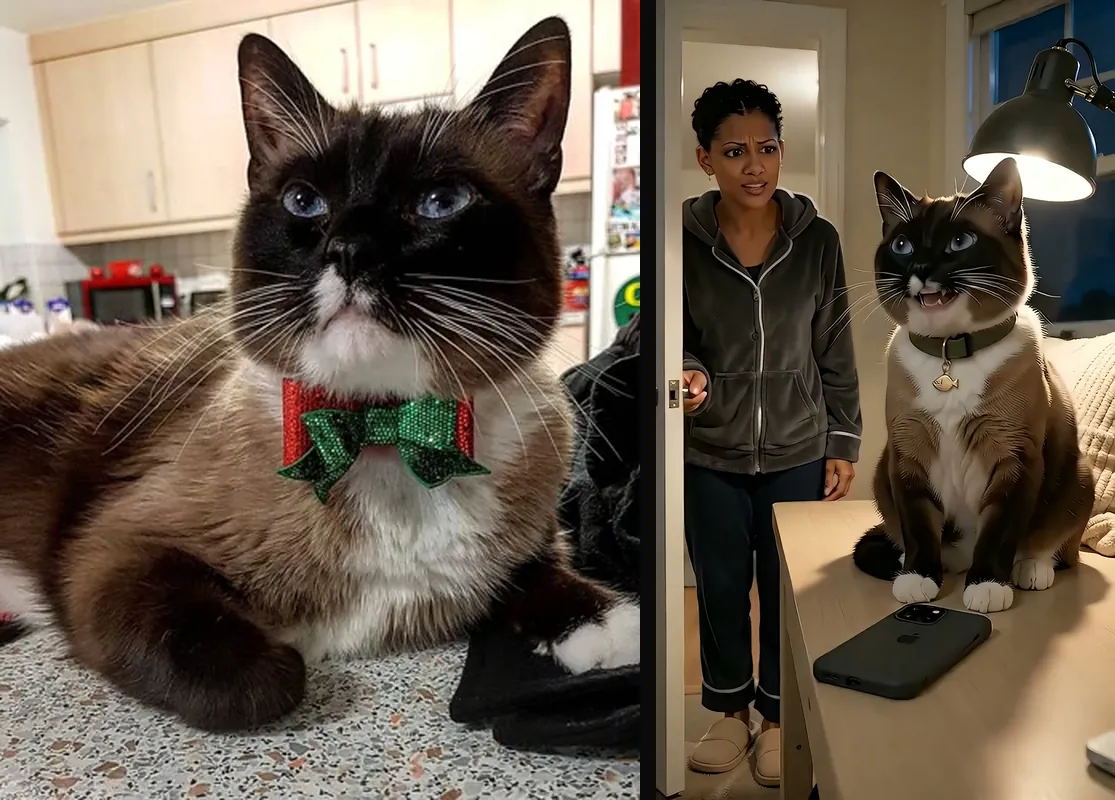
The best photo shows your cat's face toward the camera, both eyes open and in focus, in daylight, with the whole head in frame. As far as the model is concerned, the photo is your cat. Whatever the photo hides, the model fills in, usually with an average cat of the same color.
Each item below removes one thing the model would otherwise have to guess.
- Face toward the camera. Shoot from the side and the hidden half of the face gets invented.
- Daylight, no flash. Flash makes cat eyes glow, and the glow can end up in the video.
- The markings in view. Include the body if your cat has white socks, a ringed tail or a spot on the belly.
- Nothing over the face. Hands, toys, a cone or another pet all get in the way.
- The original file. Use the photo from your camera roll, not a screenshot, a filtered copy or a collage.
- One cat. For two cats in one video, use a tool that takes a separate photo for each.
Accessories don't always survive. In the example above, the Christmas bow tie turned into a plain collar. If a collar or bandana matters to you, describe it in your idea when the tool takes text, and expect it to change anyway.
The same goes for whatever makes your cat recognizable: odd-colored eyes, a split-color face, a folded ear, a stub tail. If the tool accepts text, name those features in words too, so the words and the photo point to the same cat.
How do you plan a 10-second cat story?
Give your cat a human job, let something small go wrong, then let instinct win and end on a look at the camera. Those four beats fit in 10 seconds. The laugh comes from the moment your cat drops the act, not from the costume.
Your own cat makes this easier, because you already know whether it is greedy, dramatic, lazy or a 3 a.m. menace.
- Role. Your cat has a human job: chef, food critic, spa guest, late-night gamer.
- Problem. Something small goes wrong, or something tempting shows up.
- Twist. Instinct wins, and the cat drops the act.
- Payoff. The cat looks at the camera as if nothing happened.
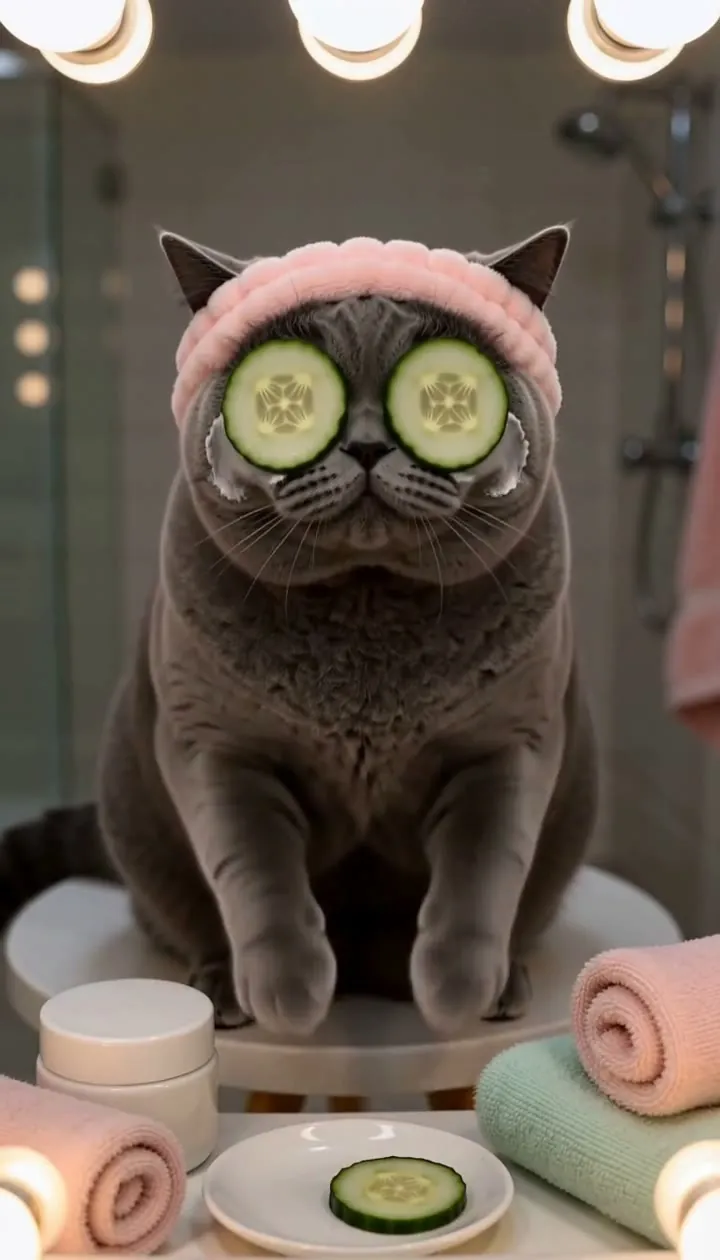
AI makes it cheap to put a cat in a chef hat, so the hat alone isn't funny anymore. The laugh comes when the chef stops being a chef: a paw flicks the treat off the counter, a cup slides toward the edge, or the cat falls asleep mid-shift. In the Skincare Routine template, the cat pats on face cream and rests cucumber slices on its eyes, then eats both slices and keeps patting.
The best twists come from habits your cat already has:
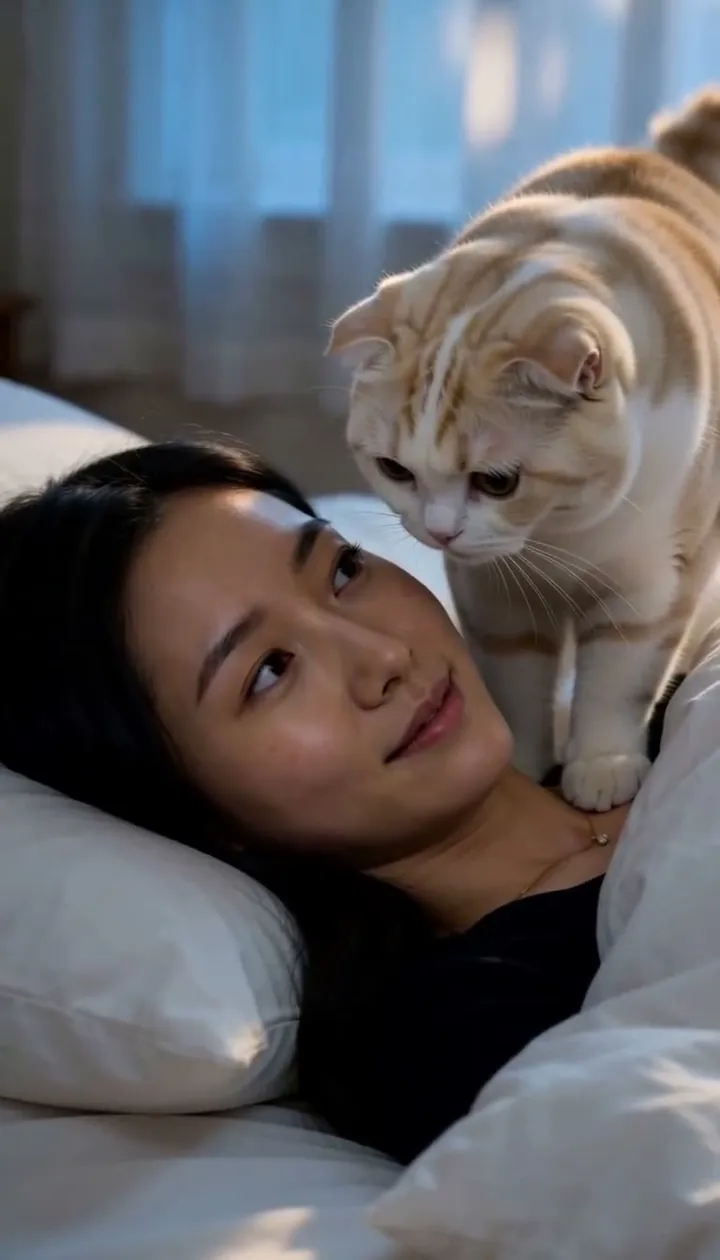
- The dawn wake-up call: your cat sits by the pillow and stares from an inch away until breakfast appears (Breakfast Alarm).
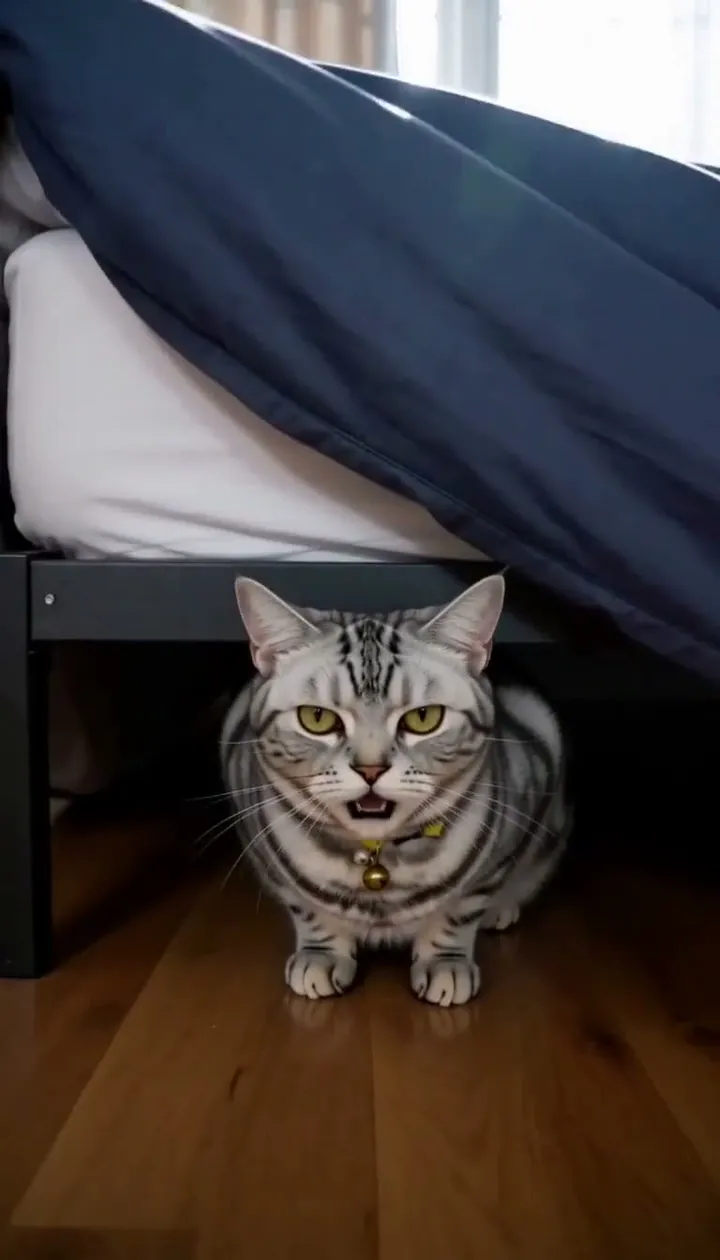
- The vet carrier comes out, and your cat is suddenly under the bed (Not Today).
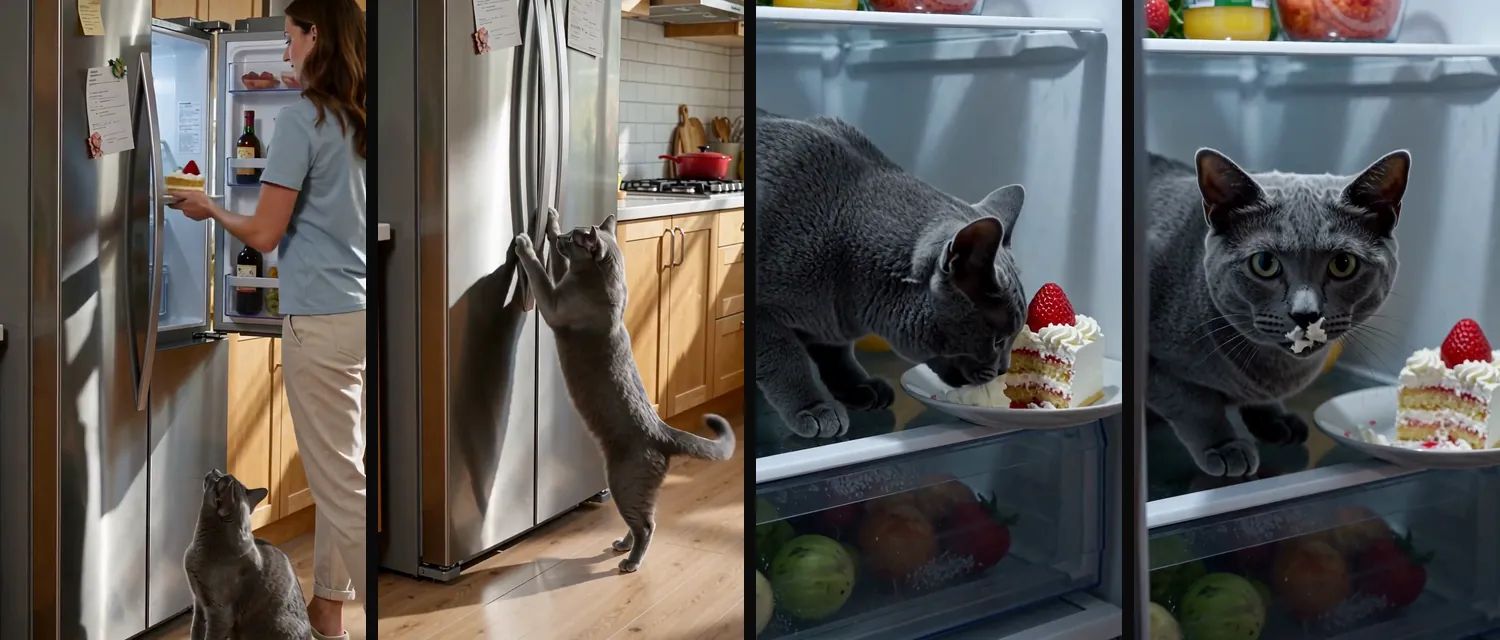
- Leftover cake goes into the fridge, and your cat waits all day for midnight (Midnight Fridge Heist).
- Your cat orders cans on your phone, then plays innocent until the order alert pings (Cans Ordered).
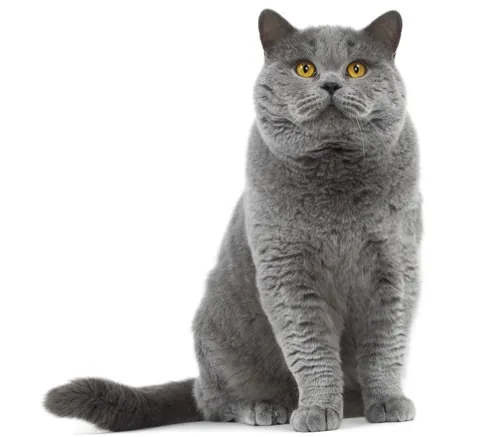
If you write the prompt yourself, write it like a director's brief for a camera operator. Say who is in the shot, where, what happens in each beat, where the camera sits and what the light looks like. This is the chef idea for the grey British Shorthair above:
Vertical 9:16, 10 seconds, one continuous shot. The grey British Shorthair from the reference photo, round face, copper eyes, dense blue-grey coat, wears a tiny white chef hat at a home kitchen counter. 0–2s: close-up, the cat stirs a small pot with one paw, total focus. 2–5s: a hand sets a treat beside the pot; the cat keeps stirring while its eyes slide toward the treat. 5–8s: one paw flicks out and the treat is gone; the cat returns to perfect posture. 8–10s: the cat turns to the lens and holds a deadpan stare. Soft morning window light, phone-camera look, realistic fur, stable face.
A few habits save you regenerations:
- Describe the cat in words that match the photo. If the photo shows copper eyes and the prompt says green, the model has two cats to choose from.
- Give each beat one action. "Jumps onto the counter, knocks over the pot and spins around" in two seconds is where legs start to merge.
- Keep one location and as few characters as the story allows.
- Describe what you want instead of what you don't: "one tail curled around its paws" works better than a list of things to avoid.
- For a story made of several clips, use the same photo for every clip. Switching photos halfway gives you a slightly different cat.
How long should an AI cat video be?
About 8 to 12 seconds is enough for one joke: a setup, a twist and a look at the camera. Most tools generate 5 to 15 seconds per clip, so a 10-second story fits in one generation. Go longer only when the story has a second twist.
Sound matters as much as length, because it carries half the joke.
People watch these videos on a phone with a thumb ready to scroll, so skip the empty establishing shot of the kitchen. Open on your cat's face or on whatever is odd about the scene, such as the chef hat or the cat sitting inside the fridge, and let the story play from there.
Plan the sound as part of the video:
- Sound effects land the beats: the pop of a can, a plate sliding, the chime of a delivery app.
- Music sets the genre. Noir music makes an interrogation funnier, and spa music makes the cucumber theft funnier. Use music you have the rights to, such as the platform's own sound library when you post.
- A voice is optional. A deadpan voiceover of the cat's thoughts is easier to get right than a lip-synced talking cat, which adds mouth movement to the things that can look wrong. Taylor-Watt gave Elvis an inner monologue instead of lip sync.
- Captions help people who watch with the sound off.
If you do want your cat to talk on camera, keep it to one short line. Longer speeches work better in a tool built for it, such as the talking pet maker.
How do you fix the weird bits?
Watch the clip twice before you share it: once looking only at the cat's face, and once looking only at its legs and tail. Most glitches show up in one of those two places, and most can be fixed without starting over.
AI cat videos tend to go wrong in the same few ways.
- Markings drift: white socks fade, tabby stripes rearrange, a spot moves to the other side.
- Eye color changes partway through.
- Legs merge or multiply when the cat jumps, turns fast or lands.
- The tail splits, disappears or grows from the wrong place.
- Props and backgrounds change. Taylor-Watt spotted a jeep canopy vanishing in the middle of a shot.
- Human hands touching the cat end up with the wrong number of fingers.
The fixes, from cheapest to most expensive:
- Trim. If the glitch is in the last second, cut the last second.
- Frame tighter. A close-up keeps the legs and tail, the parts most likely to break, out of the shot.
- Slow the action. Swap "leaps across the room" for "steps down from the chair".
- Use a better photo. If the face keeps drifting, the photo is usually too dark, too side-on or too small.
- Regenerate. Each new take costs credits, so set a limit before you start. Taylor-Watt allowed one redo per image or video to keep time and cost under control.
Do you have to label an AI cat video?
Yes, if it looks realistic. TikTok and YouTube both ask creators to disclose realistic AI-generated content, and a lifelike video of your own cat usually counts. The label takes one tap and keeps the video within both platforms' rules.
The two platforms word the rule a little differently.
TikTok's Community Guidelines on integrity and authenticity require creators to label AI-generated content that shows realistic-looking scenes or people. They also say unlabeled content may be removed, restricted or labeled by TikTok. YouTube's rules on disclosing GenAI content ask for disclosure when content seems realistic, and they list clearly unreal scenes, such as someone riding a unicorn through a fantastical world, as exempt.
On YouTube, the disclosure is the "AI use" setting in YouTube Studio, on a computer or a phone, and viewers then see the video labeled as AI-generated or altered. On TikTok, turn on the AI-generated content label when you post.
A realistic video of your cat raiding the fridge at midnight is a realistic scene that didn't happen, so label it. A cat in a chef hat stirring soup is closer to fantasy, but the label costs you nothing, so turn it on anyway. Writing "made with AI" in the caption also heads off the comments asking whether it's real.
AI cat video FAQ
How can I create a free AI cat video?
Most AI video tools give new users one free, watermarked try. On AIPet, a new account gets one free preview on a you + pet story: you and your cat on screen together, 10 seconds, watermarked. The AI cat video generator and the other tools use credits from any plan or credit pack.
How do I make those AI cat dancing videos?
You need a photo of your cat sitting up and a dance for the AI to copy: a preset, a viral trend, or a short clip of one person dancing. Our guide on how to make an AI cat dance video covers each route and what went wrong in our test.
Why doesn't the AI cat look like my cat?
Usually the photo is the problem. A side-on photo, a dark room or a partly hidden face leaves the model guessing, and it guesses a generic cat. Use a front-facing daylight photo with both eyes visible, name distinctive markings in your idea, and use the same photo for every clip.
Can I make my cat talk?
Yes. Some tools lip-sync a voice to your cat's mouth. A short line works best inside a story video, and a longer speech works best in a talking pet tool. A voiceover of the cat's thoughts is easier to get right and often as funny.
Can I use a photo of someone else's cat?
Only with the owner's permission. A video of a friend's cat is still a video of their pet. AIPet asks you to confirm that the photo is of your own pet, or that you have permission, before you generate.
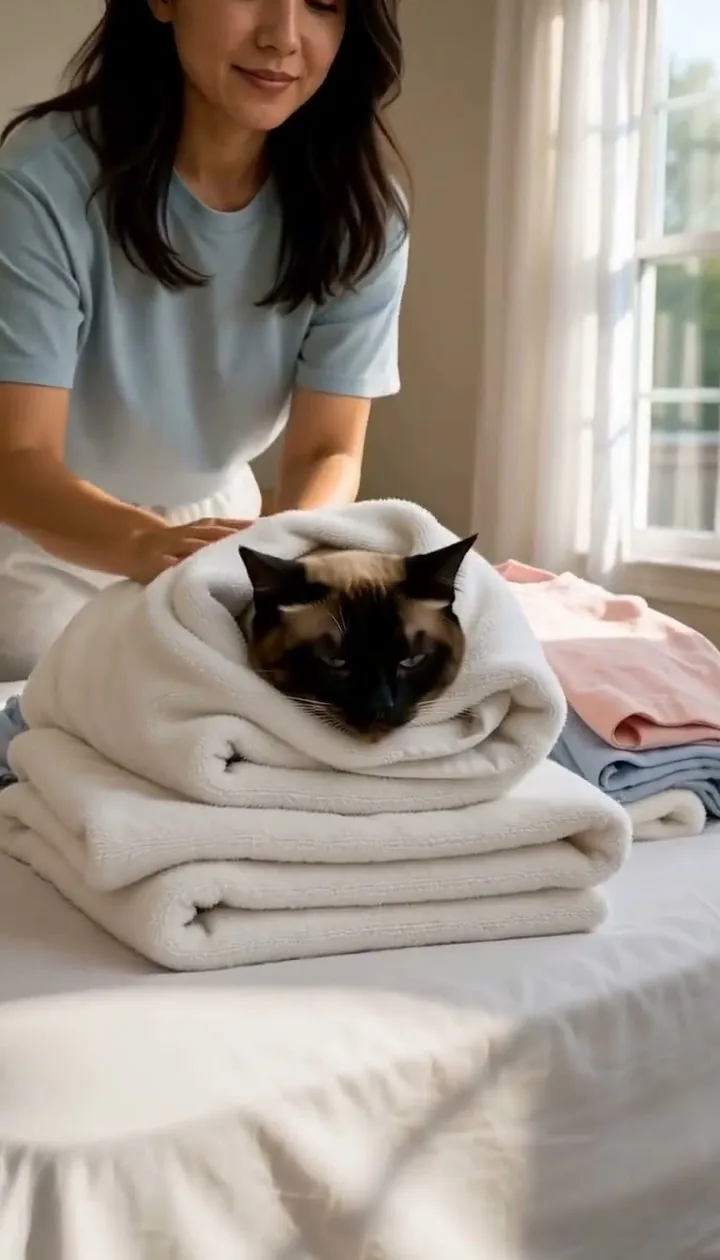
Next step
Pick your clearest photo of your cat, write one line about what happens, and make your cat's video. If you would rather start from a finished story, try Story Lab: pick a role, a problem, a twist and a payoff. If you're in the story with your cat, your first preview is free.
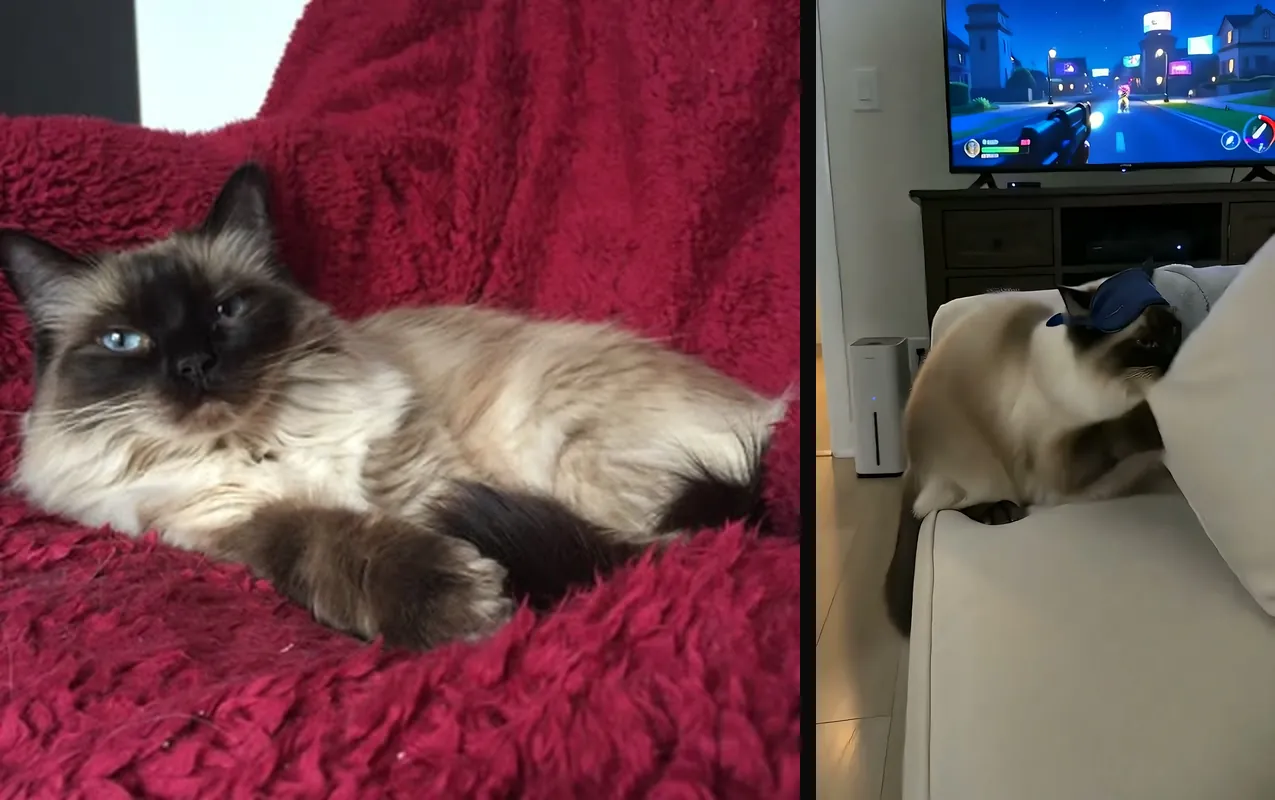
Sources
- TikTok Community Guidelines, "Integrity and Authenticity", accessed October 28, 2026.
- YouTube Help, "Disclosing use of GenAI content", accessed October 28, 2026.
- Dan Taylor-Watt, "Using AI to create my cat's final adventure", September 23, 2025.