How-to ·
How to Make an AI Cat Dance Video With Your Own Cat
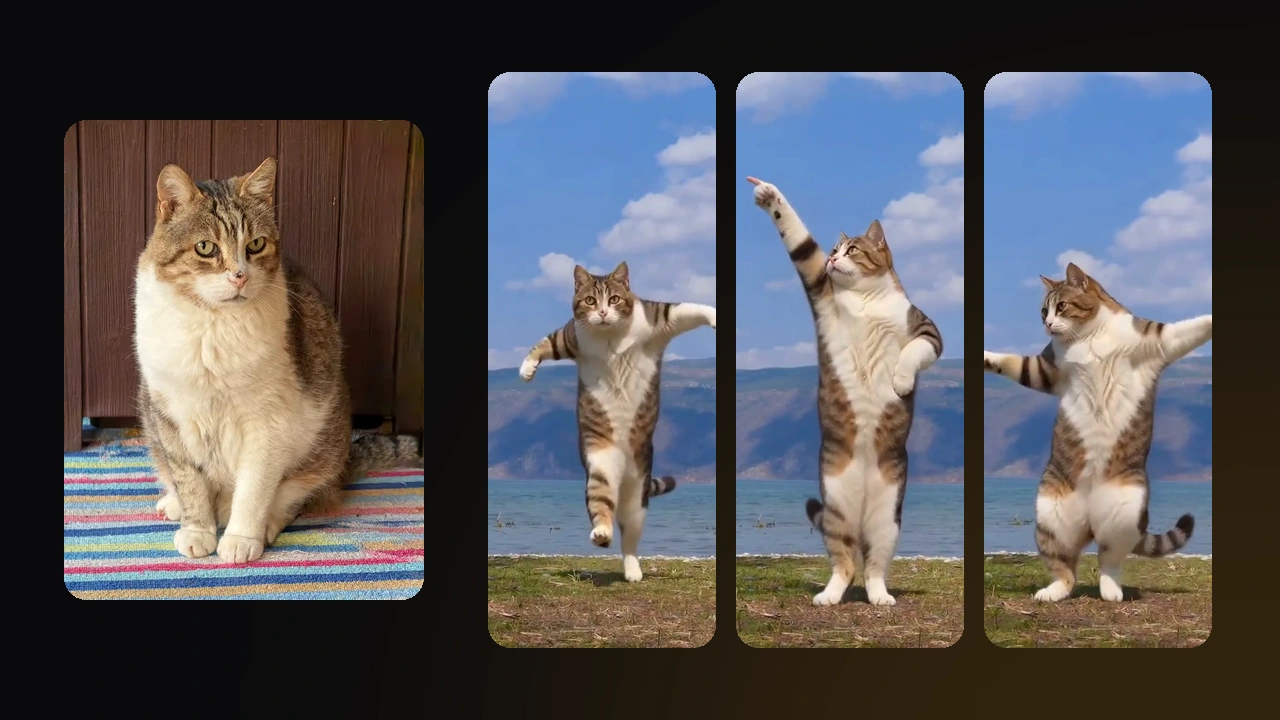
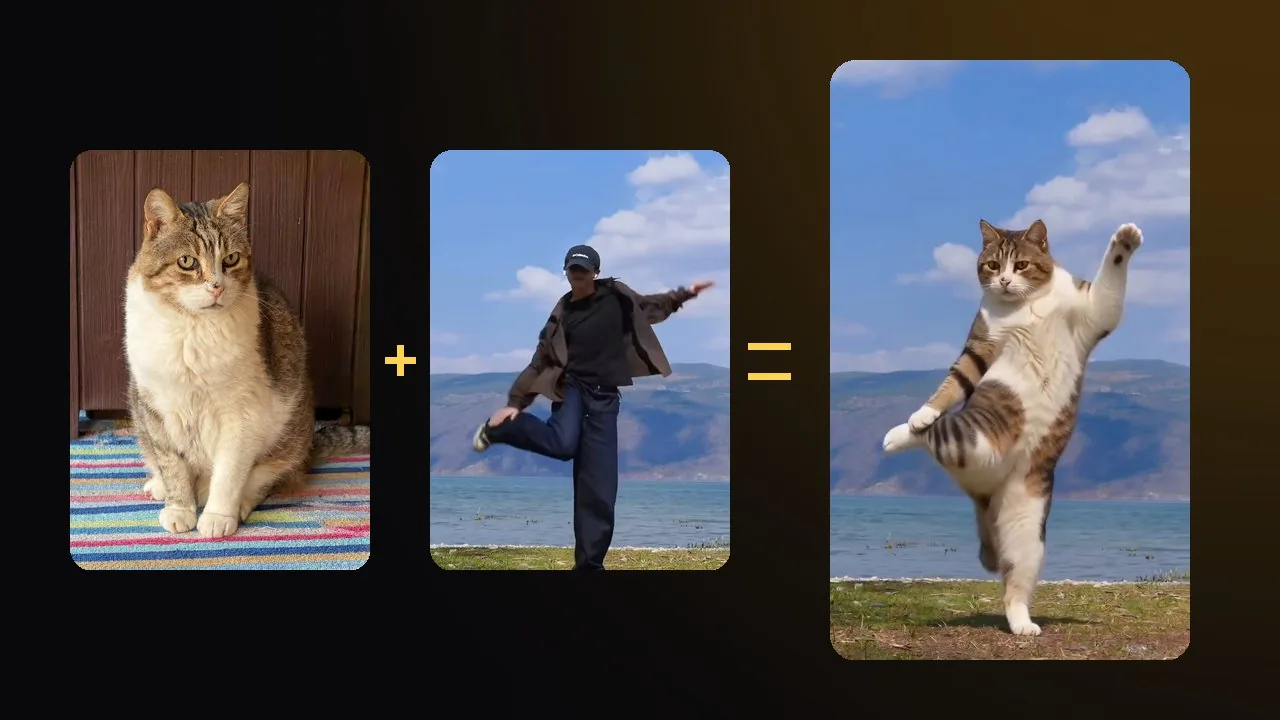
To make an AI cat dance video, you need two things: one clear photo of your cat sitting up, and a dance for the AI to copy. The dance can be a preset template, a viral trend, or a 4–15 second clip of one person dancing. We made one with Poldino, a 15-year-old tabby, and this guide shows each route, the photos and clips that work, and what the AI got wrong.
What are the ways to make an AI cat dance video?
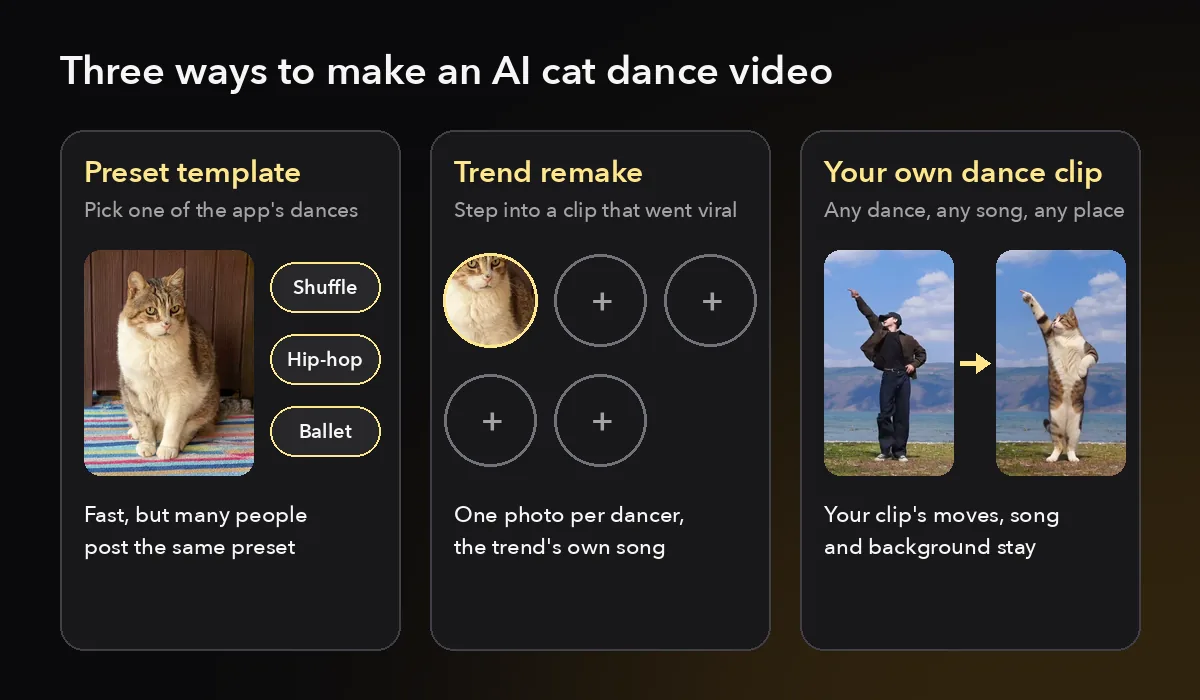
There are three ways. A template app animates your cat's photo to one of its preset dances. A trend remake puts your cat into a dance clip that already went viral. A dance-copy tool takes any dance video you supply and redraws the dancer as your cat, with the same moves, background and song.
The right one depends on how much control you want over the dance and the song.
| Preset template | Trend remake | Your own dance clip | |
|---|---|---|---|
| You add | One cat photo | One cat photo per dancer | One cat photo and one dance video |
| The dance | One of the app's presets | The moves from the viral clip | Any dance you can find or film |
| The song | The template's track | The trend's original sound | The song in your clip |
| Best for | A quick first try | Joining a trend people already know | A specific dance, or one you filmed |
Template apps are the fastest option. You pick a dance from a short list, add the photo and get a clip back. The downside is that many people post the same preset, so your video looks like theirs with a different cat.
Trend remakes work because viewers already know the original. On the Galaxy Dance trend, your cat takes the calico cat's place among the glowing stars, and the original song stays. Group trends, such as a five-cat routine, take one photo per dancer, so each spot can be a different pet.
Your own clip gives you the most control. You choose the dance, the song and even the place, because the background of your clip becomes the background of the video. The AIPet AI cat dance tool works this way: it gives the model the whole clip and asks it to redraw only the dancer. Some other tools trace the dancer's skeleton and push the photo along it. That is quick, but it loses track when dancers overlap.
If you only want to see the effect, start with a template. If you want a video that is clearly yours, use a clip.
Which cat photo works best for an AI dance?
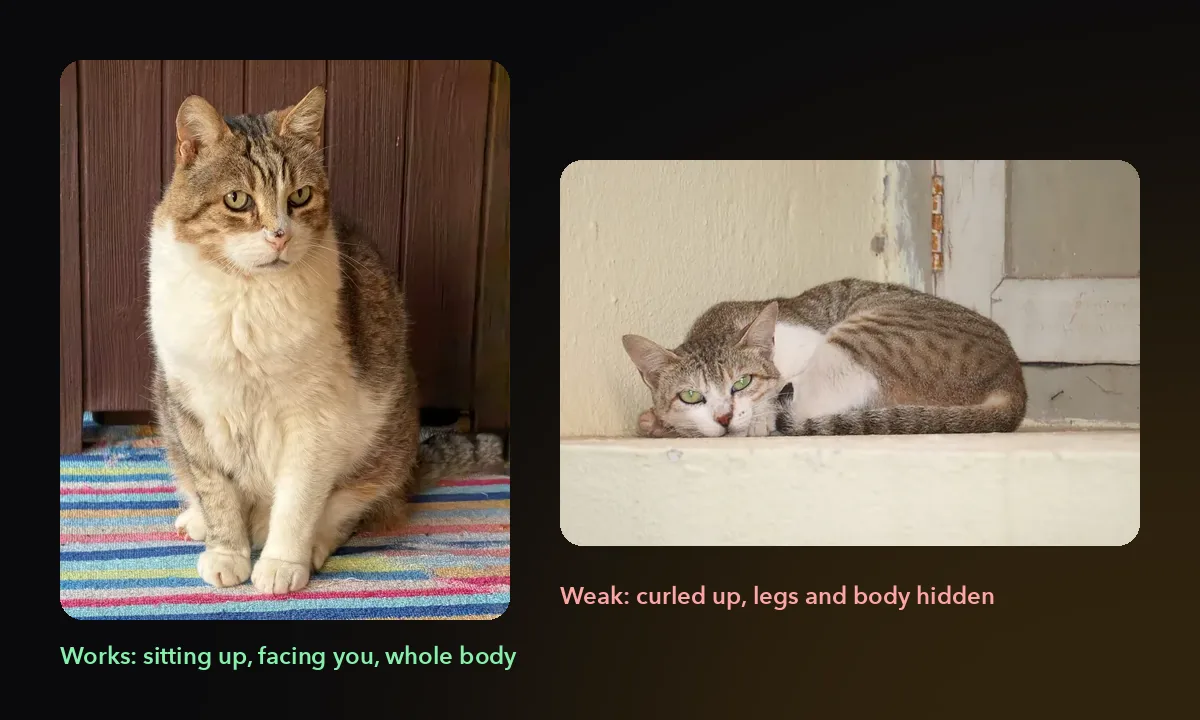
The best photo shows one cat sitting or standing up, facing the camera, with the whole body and tail in view and good light. The AI copies your cat's face, coat and markings from this one photo into every frame, so it has to guess anything the photo hides.
Most cat photos fail this test for one reason.
Cats spend a lot of the day lying down, so most phone photos show them curled on a sofa or a windowsill. In a curled-up photo, the model can't see the back legs, the belly or the length of the body. It has to invent them, and invented legs are a common place for an AI dance to go wrong.
Take a new photo instead. Hold a treat at your eye level so your cat sits up and looks at you, then shoot from a little below its head height. Daylight from a window gives sharper fur and clearer markings than a ceiling lamp at night.
Check these points before you upload:
- One animal only. A second pet or a reflection in a window can turn into a second dancer.
- Paws and tail in view. The model has to guess anything it can't see, and guesses change from frame to frame.
- Nothing to wear. Anything your pet wears in the photo, such as a collar or a costume, tends to stay on for the whole dance.
- A frame that fits the dance. A full-body dance needs a full-body photo. If you only have a close-up, pick a dance that moves the head and front paws.
How do you choose or film the dance clip?
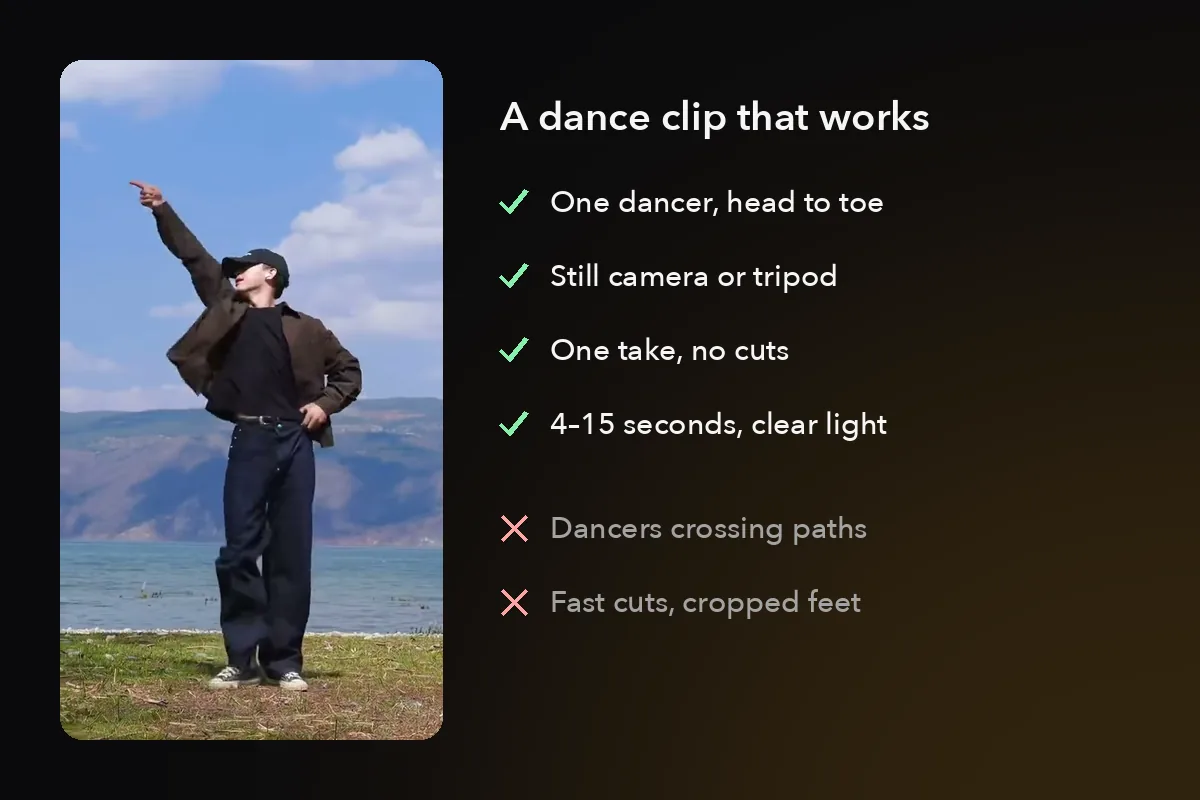
Template tutorials skip the dance clip, but it decides most of the result. Use a 4–15 second video of one person dancing, filmed head to toe in one continuous take with a still camera.
You can find a clip like this or film one yourself in a few minutes.
| Works well | Causes problems |
|---|---|
| One dancer, head to toe in the frame | Groups where dancers cross in front of each other |
| A tripod, or a phone propped on a shelf | Fast cuts between camera angles |
| One continuous take | Close-ups that cut off the feet |
| Clear light, dancer near the center | Dark or blurry footage |
The simplest source is you. Prop your phone on a shelf, step back until your whole body fits, and dance to the song you want. You own the clip, you pick the song, and the room you film in becomes your cat's stage. If you want your cat dancing by a lake or on a rooftop, film the clip there.
If you love a trend from your feed, look for a version of that dance by one person, full body. Group versions are fun to watch but hard to copy, because the AI has to follow one dancer while others pass in front.
Think about the moves too. A cat has short legs and a long back, so the AI has to stretch its body into a dancer's pose. In our test, a raised arm, wide-open arms and a kick all came through. Floor work, spins and big jumps ask the model for poses a cat body can't hold, so leave those for a second try.
Only use clips you filmed or have permission to use. A dance video on someone else's account belongs to them, even when it's public.
What did the AI get right and wrong in our test?
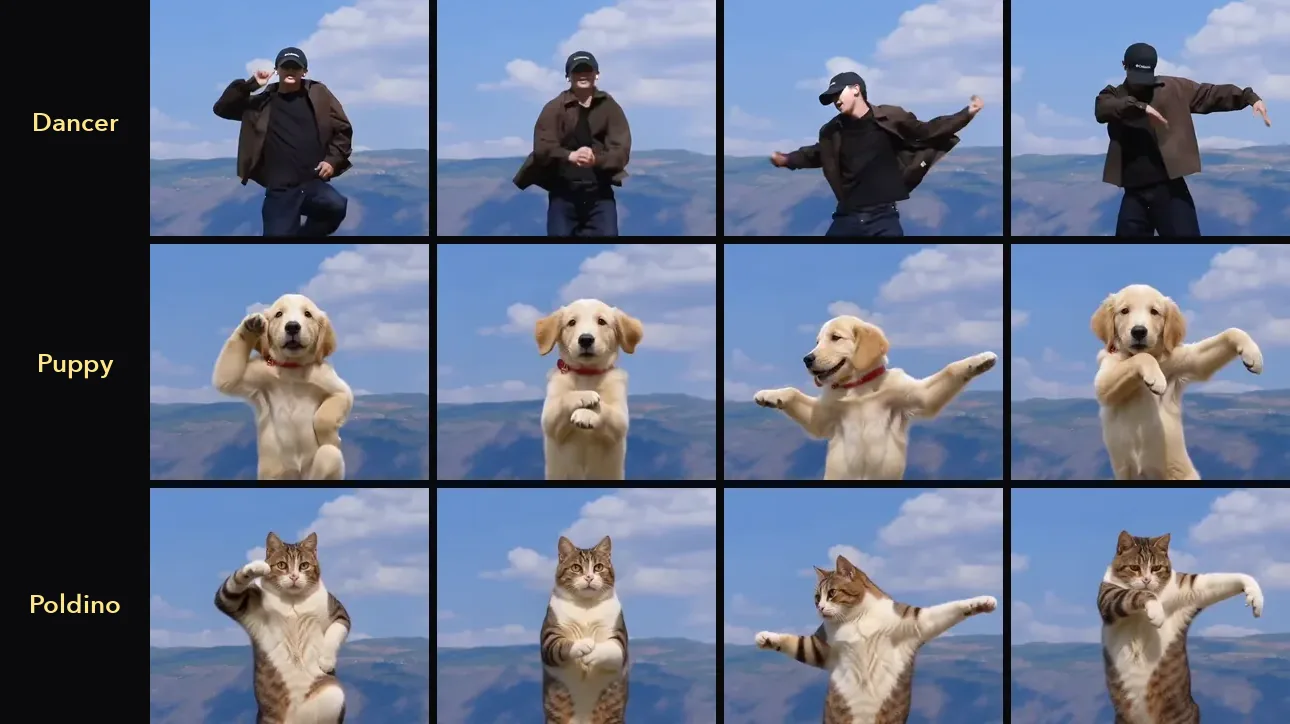
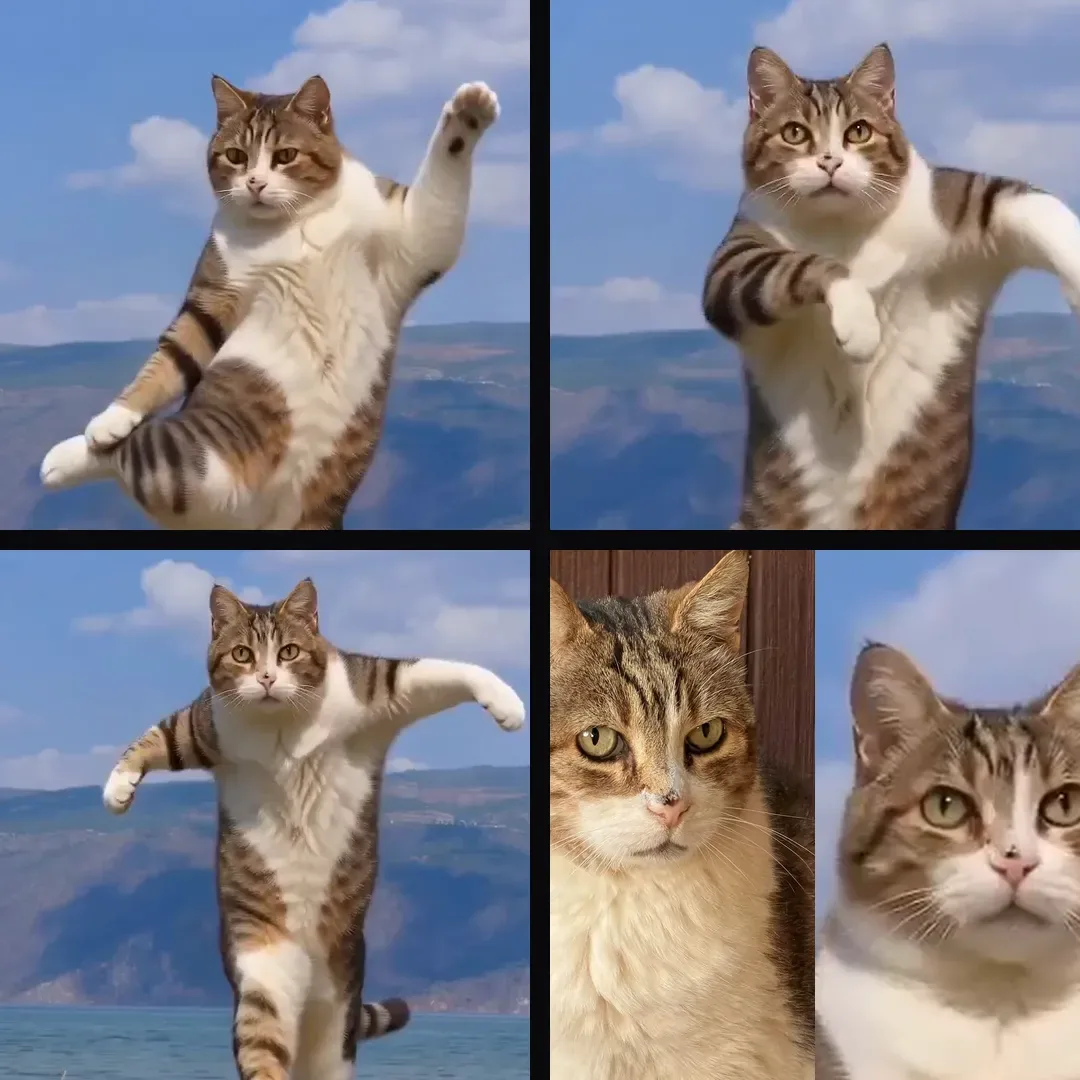
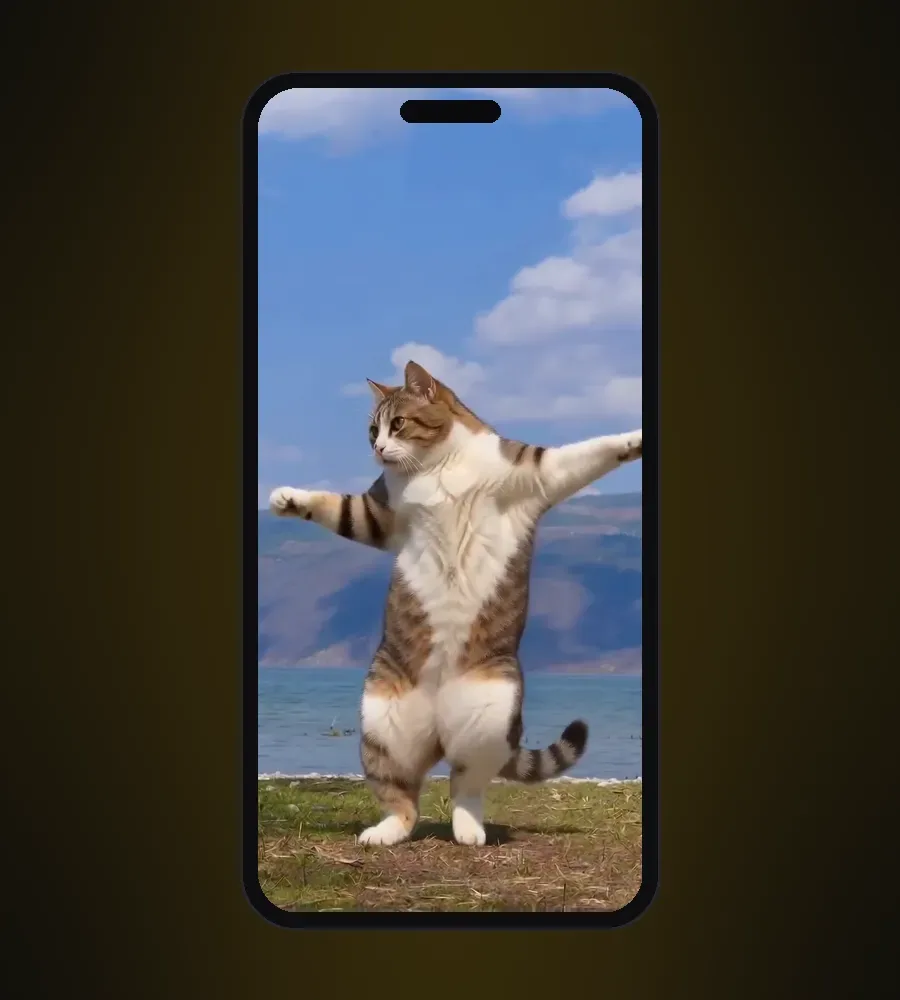
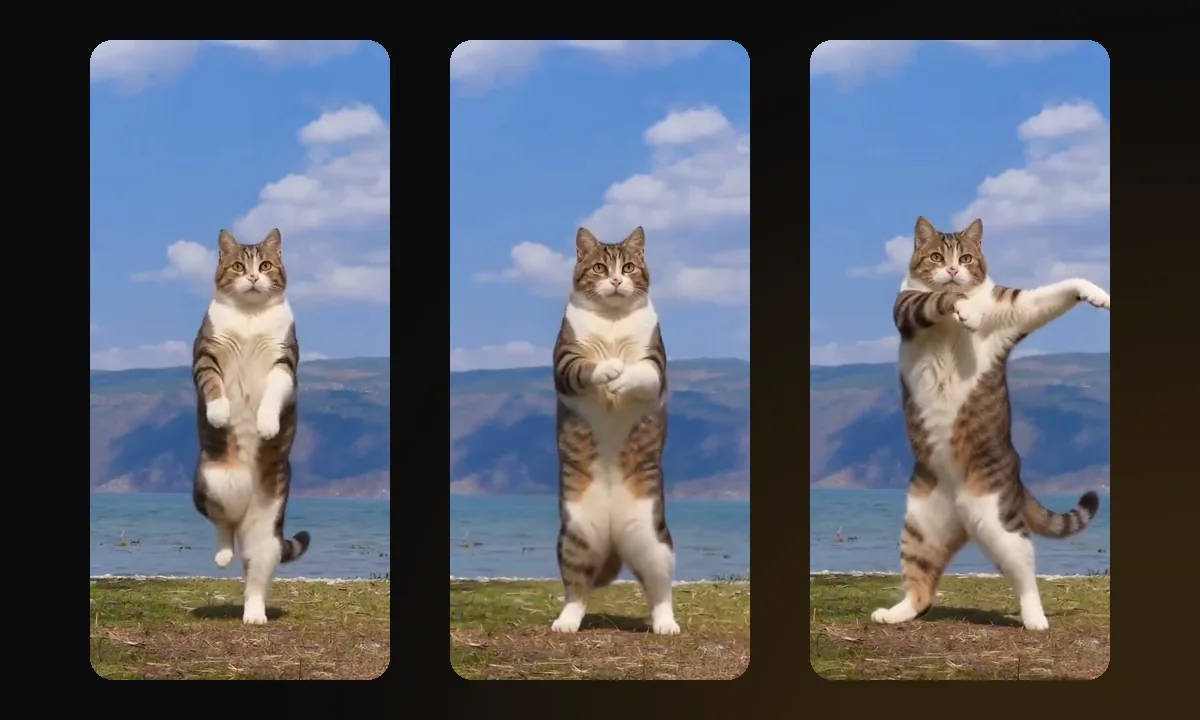
We ran Poldino, a 15-year-old tabby-and-white cat, through a 9.5-second dance clip filmed by a lake. His moves stayed on the beat and his face stayed his own, but his coat came out a little greyer than in his photo.
The details below come from a frame-by-frame check of the finished video.
What held:
- Timing. Every move landed at the same moment as the dancer's, from the raised arm at 2 seconds to the wide arms at 5. We measured zero delay.
- Background. The lake, the sky and the camera stayed as filmed. Only the dancer changed.
- Face. The white stripe down his nose, his pink nose, his yellow-green eyes and his white chest all carried through.
- Body. His paws stayed cat paws and his tail stayed on, swinging with the steps. No human hands appeared.
What slipped:
- His coat came out greyer and more evenly striped than the warm brown tabby in his photo.
- He dances upright for the whole clip, and his front legs swing like arms. That is what makes the video funny, and it is also how viewers can tell it is AI.
Before we built the cat tool, we ran a golden retriever puppy through four AI video models with real dance clips. The results show that the model matters as much as the photo. Seedance 2.0 by ByteDance kept every move in sync. Kling 4.0 swapped in the puppy, but the moves ran about a tenth of a second behind the music. Wan 2.2 Animate Replace, which is built to swap one person for another, put a woman in the dancer's place. Kling 2.6 Motion Control traced the dancer's skeleton, lost track when two dancers crossed paths and stopped after about 3 seconds. AIPet uses Seedance 2.0, and the full comparison is on our AI dog dance page.
Whatever tool you use, test one short clip before you spend credits on a long one.
How do you fix common AI cat dance problems?
Most problems trace back to the photo or the clip, so change one of them and run the dance again.
| What you see | Likely cause | What to change |
|---|---|---|
| Strange back legs or a stretched body | The photo shows your cat lying down or half hidden | Use a photo of your cat sitting up, whole body in view |
| A second animal appears | Another pet or a reflection is in the photo | Crop the photo to one cat |
| The coat color or stripes drift | The model redraws the coat in every frame | Use a sharp daylight photo with clear markings |
| Moves fall off the beat, or the video stops early | The clip has cuts, blur or dancers crossing paths | Use one dancer in one continuous take |
| The cat moves out of the frame | The dancer travels far across the floor | Pick a dance that stays in one spot |
| A collar or costume stays on | It was in the photo | Take a new photo without it |
| The cat looks like a person in a cat suit | The dance stays upright and uses long arm moves | Expect some of this; pick a dance with more steps and fewer arm moves |
Change one thing at a time. If you swap the photo and the clip together, you won't know which change fixed the problem.
How should you post an AI cat dance video?
Post it vertical, add the song from the app's own sound library, and turn on the AI-generated label. A vertical clip fills the screen on TikTok, Reels and Shorts, and the label keeps the video within each platform's rules.
The label is easy to skip, and on TikTok an unlabeled video can be taken down.
TikTok's Community Guidelines on integrity and authenticity ask creators to label AI-generated content that shows realistic-looking scenes. They also say unlabeled content may be removed, restricted or labeled by TikTok. YouTube's rules on disclosing GenAI content ask for the same when content seems realistic, and they list clearly unreal scenes, such as someone riding a unicorn, as exempt. A photoreal cat dancing by a real lake looks realistic, so turn the label on. It takes one tap.
Music comes next. If you danced to a popular song in your own clip, that song is inside your video file. The safer way to post is to mute the original sound and add the same song from the app's sound library. The app then links your video to the song, and people can find it from the sound page.
A caption turns a dancing cat into a character. Give your cat a name and a deadpan line, such as "Poldino has been practicing in secret." A recurring character gives people a reason to come back for the next dance, and you can reuse the same photo.
For group chats, a GIF is easier to send than a video. Every finished dance on AIPet has a Download GIF button, and the AI cat dance GIF page has free ones to send.
AI cat dance video FAQ
Can I make an AI cat dance video for free?
Yes, with limits. On AIPet, a new account can render the first 5 seconds of a dance for free, with a watermark. A full dance of up to 15 seconds costs 10 credits per second, and if a video fails, the credits go back to your account.
How long does it take to make one?
On AIPet, a dance is usually ready in 3 to 6 minutes. Taking a good photo and filming your own clip take longer than the rendering, so do those first.
Can two cats dance in the same video?
Yes, with a group trend remake, where each dancer's spot takes its own photo. The AI cat dance tool takes one cat per video for now.
Can I use a dance from someone else's TikTok?
Only with the creator's permission. A public video still belongs to the person who posted it. The easier route is to learn the dance and film it yourself, or ask a friend to dance for you.
Will the video look exactly like my cat?
Close, but not exact. In our test, Poldino's face and markings held, while his coat came out slightly greyer and more evenly striped. A sharp daylight photo with clear markings gives the closest match.
Does my cat have to do anything?
No. The whole dance comes from one photo, so your cat only has to sit up for a second while you take it.
Next step
Take one photo of your cat sitting up, film ten seconds of yourself dancing, and make your cat dance. A new account can try the first 5 seconds for free. Got a dog too? The same method works on the AI dog dance page.
Sources
- TikTok Community Guidelines, "Integrity and Authenticity", accessed October 28, 2026.
- YouTube Help, "Disclosing use of GenAI content", accessed October 28, 2026.
- AIPet tests: AI cat dance with Poldino and the four-model AI dog dance test, October 2026.