How-to ·
How to Make Your Dog Talk: Teach "Speak" or Use AI
You can make your dog talk in two ways. Train it to bark on cue with the "speak" trick, which you teach in short five-minute sessions with treats. Or give it real words on video: record a voiceover over your own footage, or let AI turn one photo into your dog saying your line, mouth in sync. Here is how to do all three.
Can dogs actually learn to talk?
Not in words. A dog's mouth and throat can't shape human speech, so a dog can't copy English the way a parrot copies sounds. What a dog can learn is to bark, whine or howl on cue, to press buttons that play recorded words, and to understand dozens of words you say. That is the real talking you can train.
Some dogs give you more to work with than others. Huskies "talk" in long howls and woo-woos that owners love to caption as words. Shibas are famous for a high scream when they disagree. Basenjis hardly bark at all and yodel instead. Whatever sound your dog already makes is the best raw material, both for training and for a funny video.
Talking buttons are the other route people try. You record a word such as "outside", "play" or "dinner" on a floor button, and the dog learns to press it. Researchers are still studying how much these dogs understand. What is clear is that the dog learns that pressing a button gets something, which is clever, but it isn't speech.
Understanding goes further than speaking. Most dogs learn their name, "walk", "treat" and a list of household words, and a few exceptional dogs have learned the names of hundreds of toys.
So when people ask how to make a dog talk, they usually mean one of three things: a bark on command, a voice added to a video, or an AI video where the dog's mouth moves. The rest of this guide covers each.
How do you teach your dog to "speak" on command?
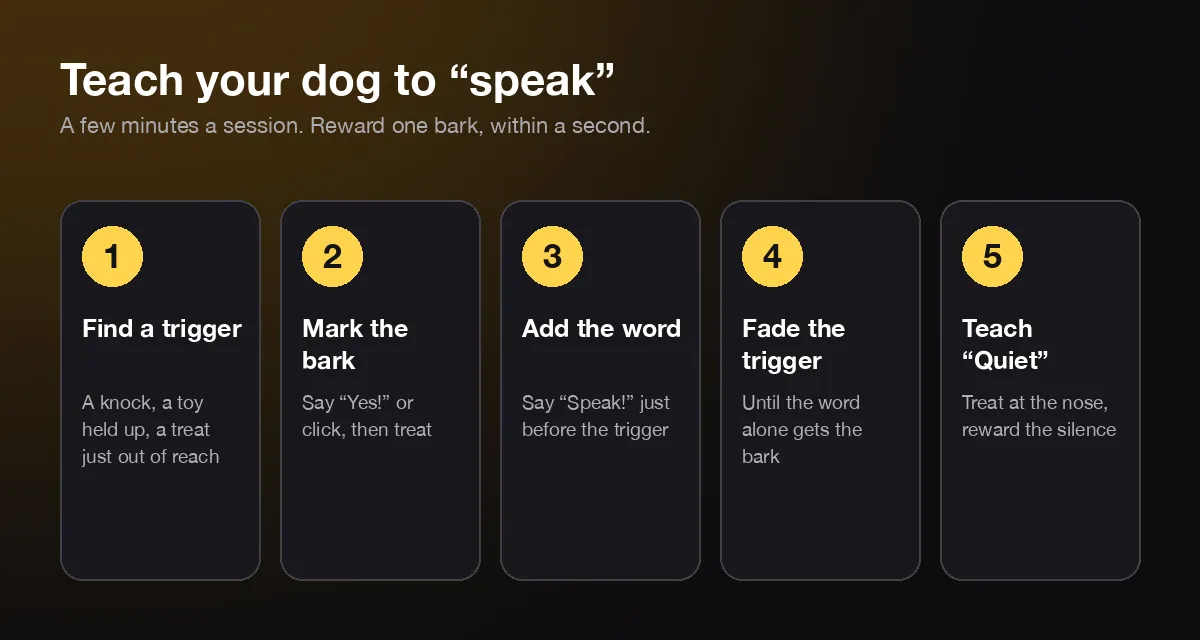
Wait for a bark, mark it, reward it, then name it. Find something that makes your dog bark, say "Yes!" or click the instant it barks once, and hand over a treat within a second. When the bark comes reliably, say "Speak!" just before the trigger, then fade the trigger until the word alone works.
Here is the whole routine, step by step.
- Find the trigger. A knock on the door, the doorbell, a favorite toy held up, or a treat held just out of reach. Pick the one that gets a single bark, not a barking fit.
- Mark the moment. The instant your dog barks, say "Yes!" or press a clicker, then give the treat within a second. As the AKC's guide to clicker training puts it, the click must mark the correct moment, and every click must be followed by a reward.
- Add the word. Once the trigger gets a bark most of the time, say "Speak!" clearly just before you knock or show the toy. Then mark and reward as before.
- Fade the trigger. Knock more softly, hold the toy lower, and soon say only "Speak!". If your dog stalls, bring back a small version of the trigger and try again.
- Teach "Quiet" too. Ask for two or three barks, hold a treat at your dog's nose, say "Quiet!" and reward the second the barking stops.
Keep each session to a few minutes and end on a success. Reward a single bark at first. If you reward a string of barks, you are teaching a barking fit, not a word. Practise in different rooms once the cue works in one, because dogs learn cues in the place they learned them.
The "Quiet" step is not optional. A dog that learns barking pays off will try it at dinner, at the door and at 6 a.m. The ASPCA's advice on barking is to train a dog to be quiet on cue, so attention-barking stops and the dog learns another way to ask.
How do you teach a quiet dog to speak?
Start with any small sound, not a full bark. Quiet dogs often whine, huff or grumble when they are excited, so reward that first, then reward only louder sounds over a few sessions. Build excitement with a favorite toy or a treat held just out of reach, and stop before your dog gets frustrated.
One owner on a dog-training forum describes a trick that worked for her quiet dog: tease with a treat until the dog makes a tiny "whisper bark", reward it, and grow it from there. A whisper bark is still a sound on cue, and a quiet dog may find it easier to give than a full bark.
A few other things help:
- Use the sound your dog already makes. If your dog only barks at the door, start with a knock. If it howls at sirens, a howling video can be the trigger. A husky's "woo" or a shiba's yelp counts.
- Raise the energy, not the pressure. A quick game of tug before the session makes a sound more likely than staring at a silent dog.
- Quit early. If nothing happens in two minutes, finish with a trick your dog knows and try tomorrow.
- Accept the breed. Some dogs are quiet by nature. Basenjis and many sighthounds may never give you a loud bark, and that is fine.
If your dog still won't make a sound, it can still talk on video. That is the next part.
How can you give your dog a voice in a video?
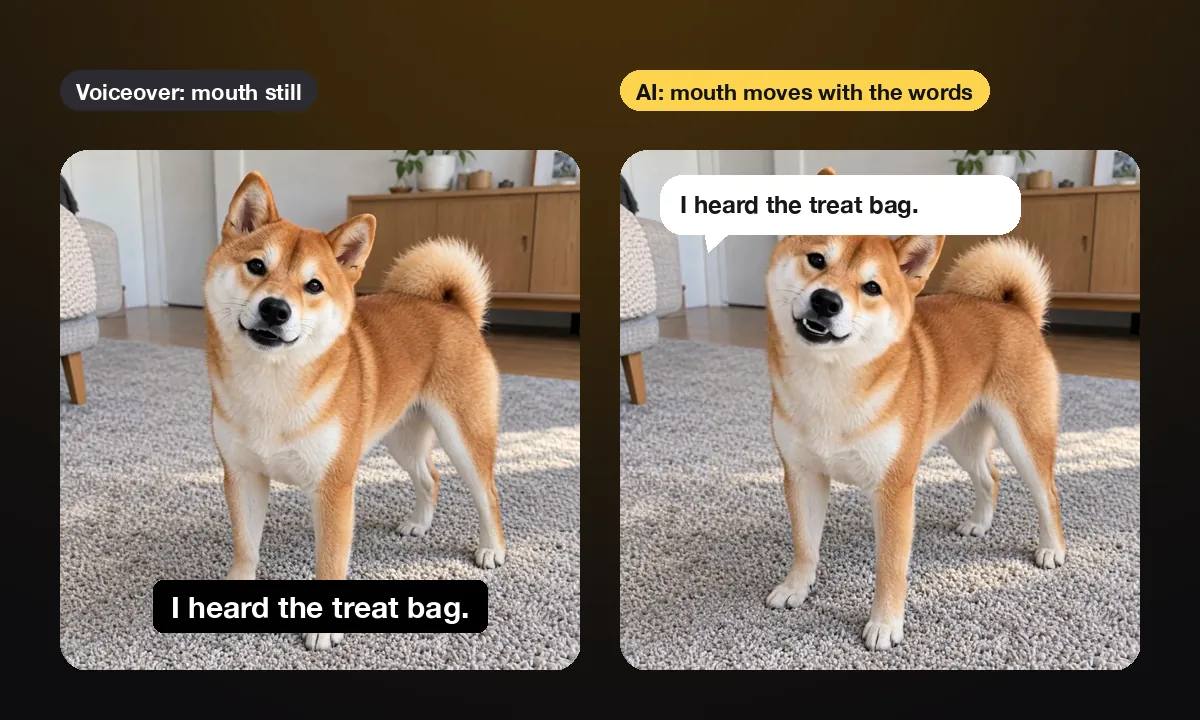
There are two ways. Record a voiceover over real footage, so it sounds like your dog's inner thoughts, or use AI to turn one photo into a video where your dog's mouth moves with the words. The voiceover is free and quick. The AI version looks like your dog is talking to the camera.
| Voiceover on real footage | AI from one photo | |
|---|---|---|
| What you need | A short video of your dog and a phone editor | One clear photo and a typed line |
| Does the mouth move? | No, so it reads as thoughts | Yes, in sync with the words |
| Whose voice? | Yours, or text-to-speech | An AI voice style you pick |
| Time | 10 to 20 minutes of editing | A few minutes of waiting |
| Cost | Free | First clip free on AIPet, then credits |
How to do a voiceover
- Film something expressive. The dinner-table stare, a sigh on the couch, a slow head tilt. Hold the phone at your dog's eye level. Ten seconds is plenty.
- Write a line that fits the moment. The dog is already doing the acting, so the words only need to name what it seems to think.
- Record it in your editor. TikTok's editor has Voiceover and Text-to-speech built in. CapCut and most phone editors do the same.
- Add captions. Many people watch with the sound off, and the joke has to land anyway.
One trick makes a voiceover feel much closer to real talking: put the words where your dog's mouth already moves. A yawn, a pant or a lip lick lines up with a short word, and viewers fill in the rest.
How do you use AI to make your dog talk?
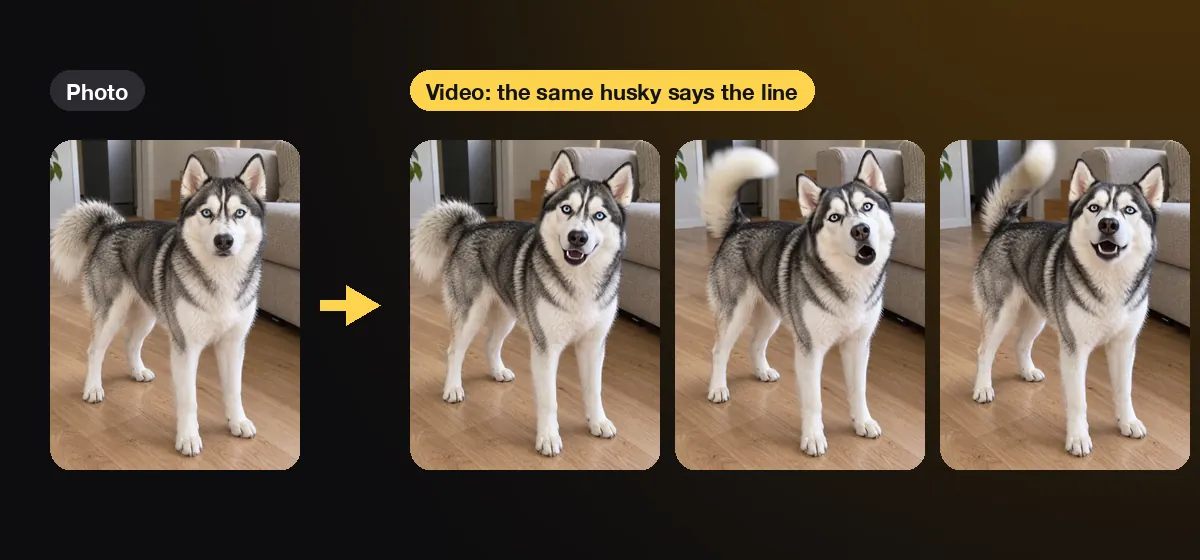
Upload one clear photo of your dog, type what it should say, pick a voice and generate. An image-to-video model animates the photo and lip-syncs the line, so your dog looks into the camera and says it. On AIPet a 15-word line becomes a 6-second clip, ready in a few minutes.
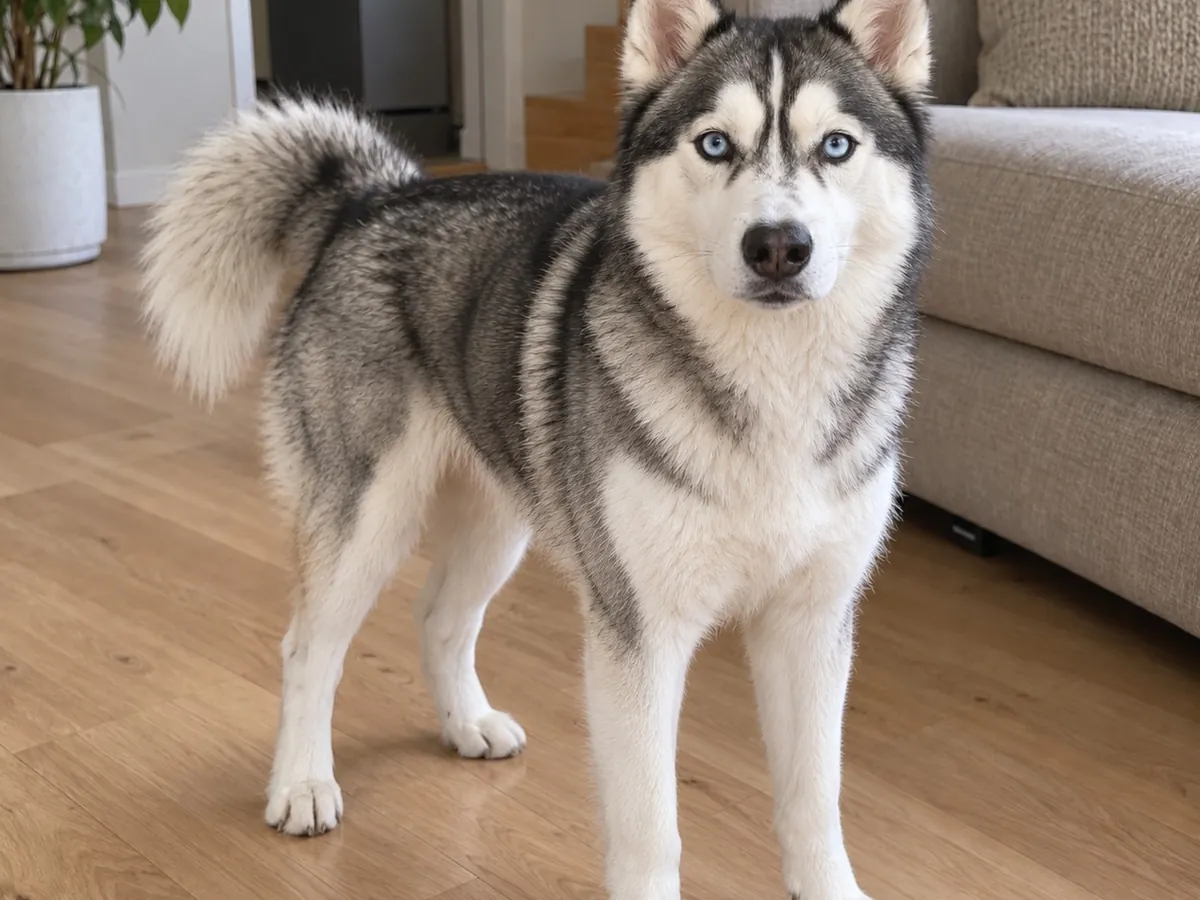
The photo does most of the work, so pick it with care. Use one where your dog faces the camera with its eyes open and its whole face in good light. Sitting or standing both work. Skip photos with a ball or a treat in the mouth, because the AI has to guess the mouth it can't see. A sharp photo of 1,000 pixels or more on the short side keeps the fur and markings true.
Keep the line short. About 2.8 words a second is a natural talking pace, so 15 words is a 6-second clip and the longest line, about 40 words, fills 15 seconds. Short lines land harder anyway.
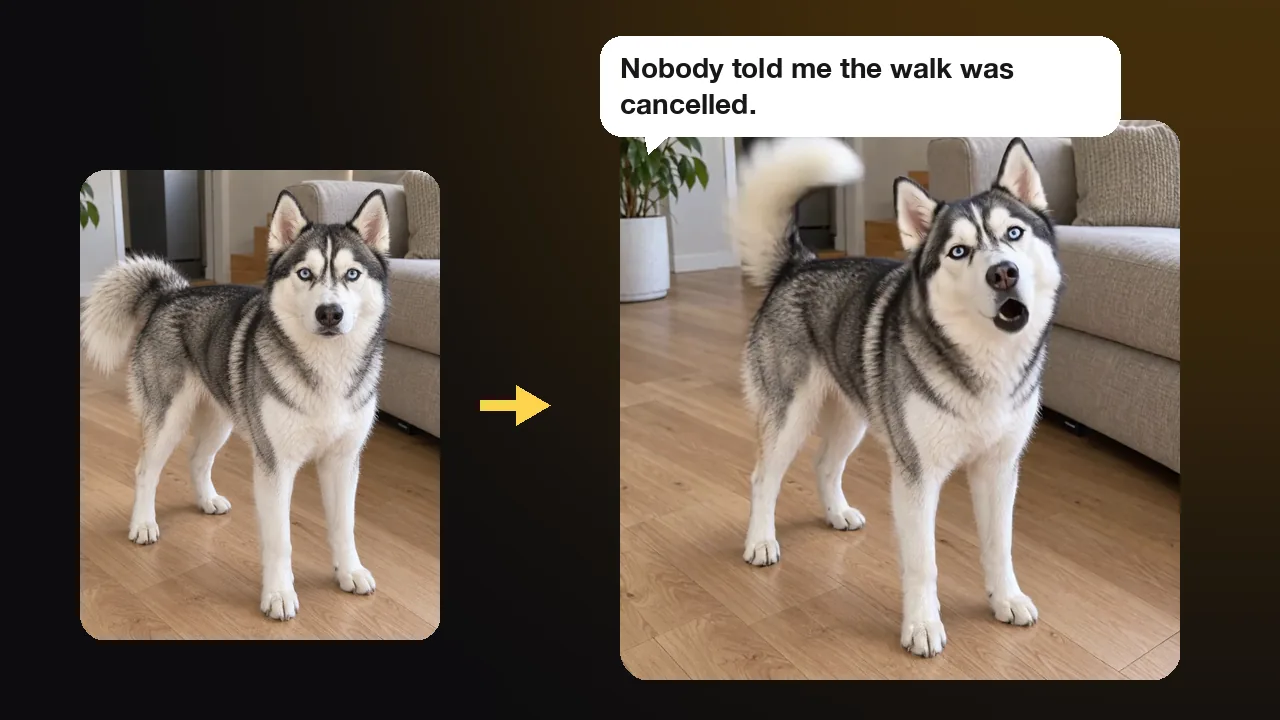
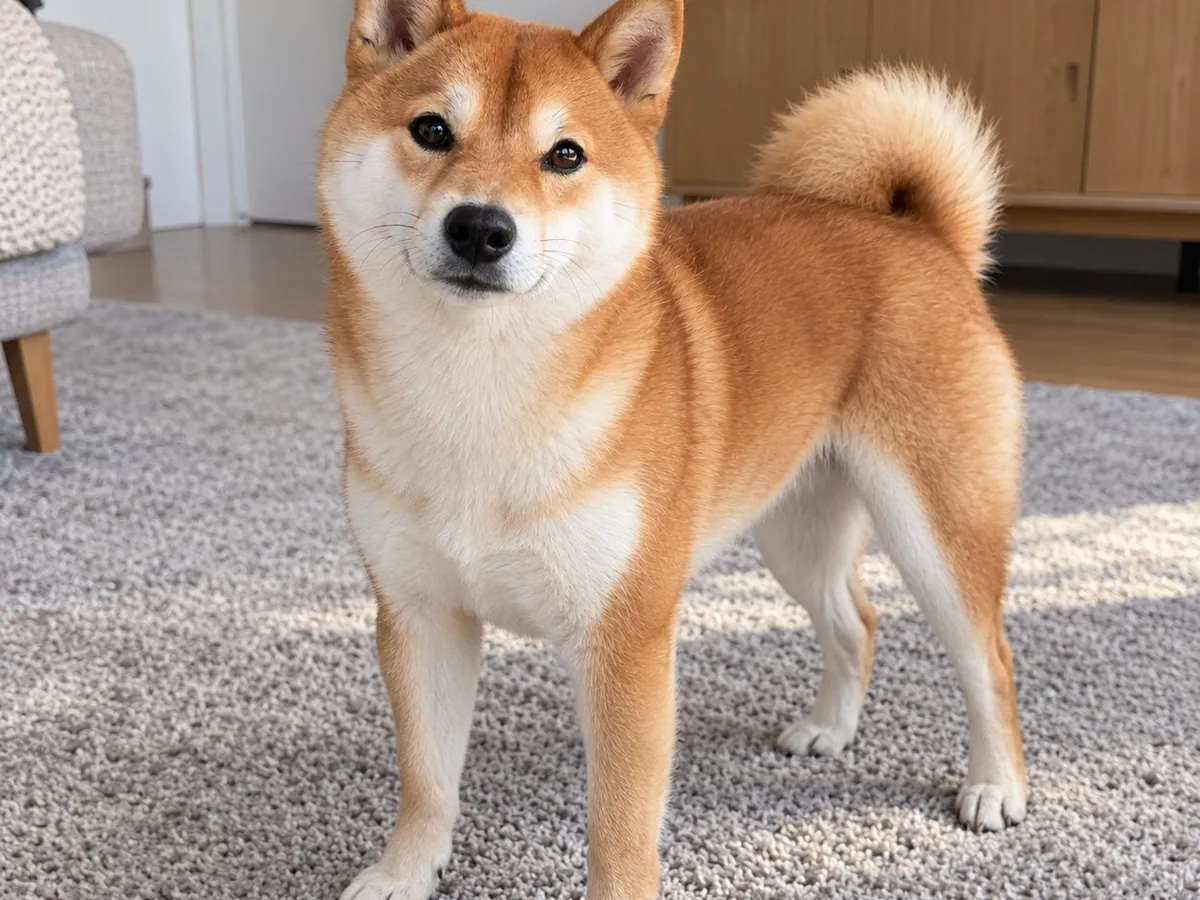
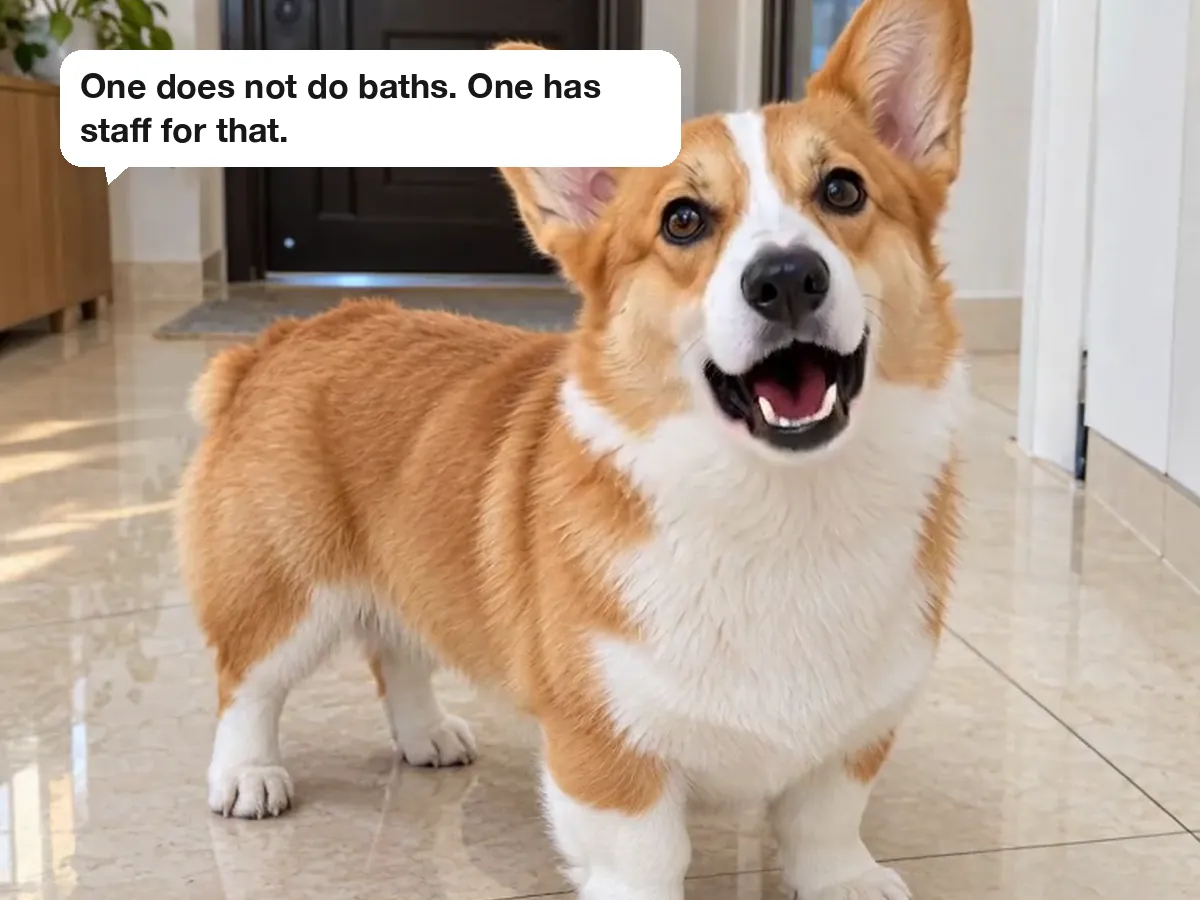
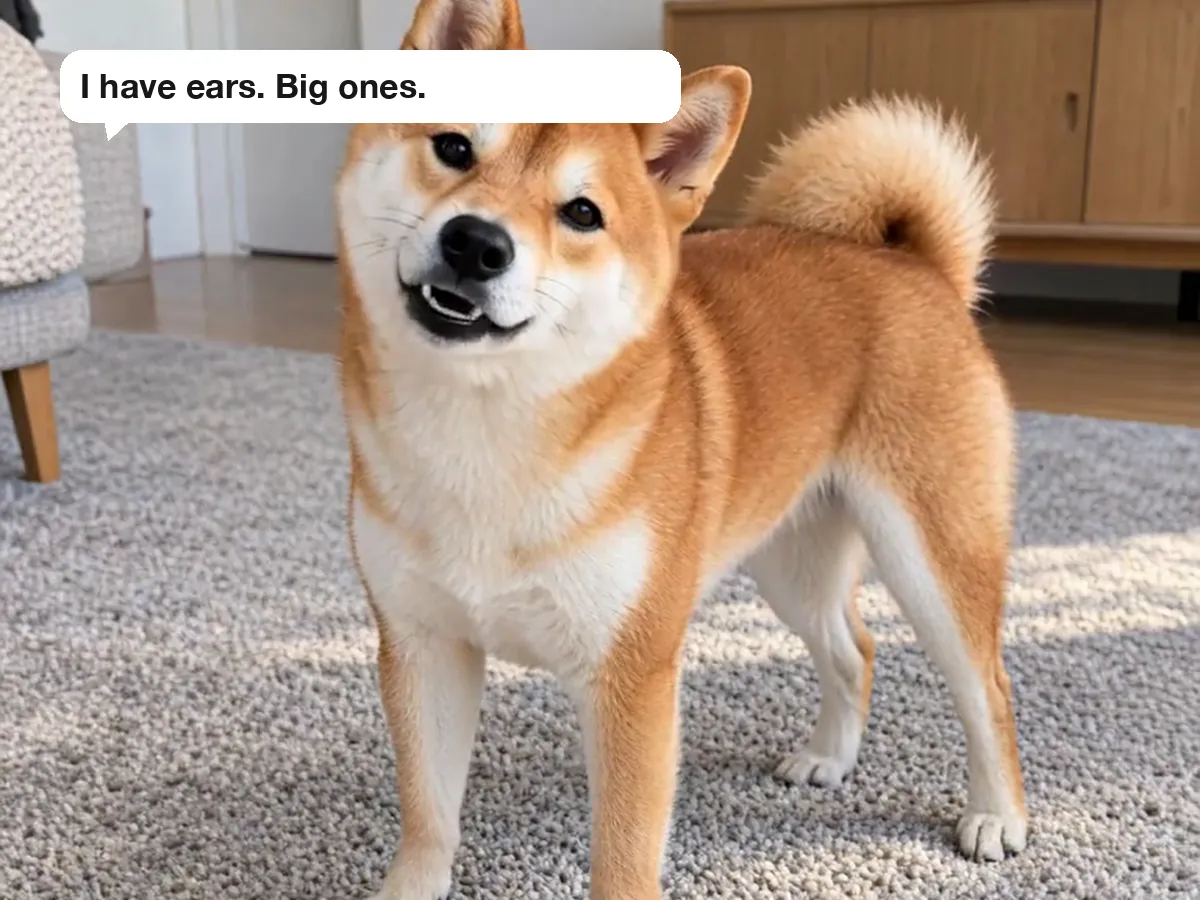
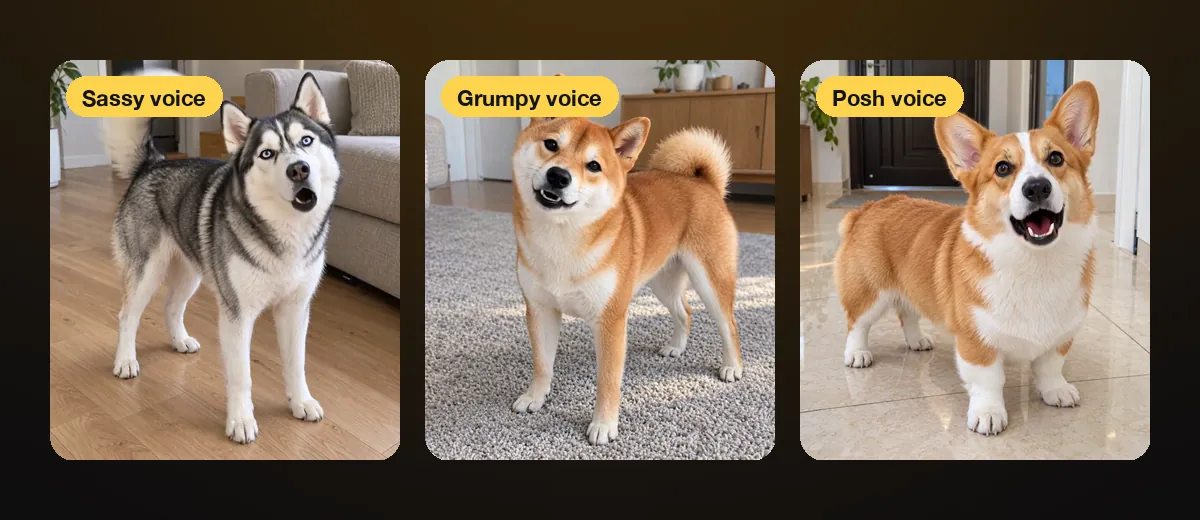
Then match the voice to the dog. We made three examples on our talking dog app: a husky in a sassy voice, a shiba in a grumpy one and a corgi in a posh British one. Each said its line word for word. The husky also kept wagging its tail, because a good model moves the whole dog, not just the lips.
On AIPet your first talking clip is free: a line of up to 15 words, with a watermark. Keeping that clip without the watermark costs $2.99, and longer clips use credits, 14 a second. When you post a realistic AI video, turn on the AI-generated label in TikTok or Instagram.
What should your dog say?
Say what every owner suspects the dog is thinking, in one or two short sentences, with the punchline at the end. A specific detail beats a general joke: "It's 4:59" is funnier than "I'm hungry". A little drama helps, and so does a voice that doesn't match the dog.
These are the kinds of lines that work:
- The complaint: "You said 'later' three hours ago. It is later."
- The denial: "The shoe was already chewed. I just finished the job."
- The report: "The mailman came again. I handled it. You're welcome."
- The demand: "It's 4:59. I'm not saying anything. I'm just sitting here. Staring."
- The love note: "You left for ten minutes. I thought you were gone forever. Never do that again."
Match the voice to the joke. A tiny dog with a deep, grumpy voice is funny before it says anything. A big, serious dog with a posh accent is funny too. Keep one character for a series: the same dog, a new complaint each week, gives people a reason to follow.
Sometimes the funniest version has no words. If you would rather have your dog act out a scene, such as a delivery that goes wrong, the AI dog video generator turns one line about what happens into a short story clip.
Talking dog FAQ
How do I say "I love you" in dog language?
With your tone, your touch and your time, not words. Dogs respond to a warm, calm voice, slow strokes on the chest and behind the ears, play and walks together. Soft, relaxed eye contact matters too: studies have found that gentle mutual gazing raises oxytocin in both dogs and their owners.
Are dog translator apps real?
No app can turn barks into sentences. Translator apps play recorded barks or match a bark to a random phrase such as "feed me". Your dog reacts to your tone and your body language, not to the phone, so treat them as a game.
Can I make my dog talk for free?
Yes. A voiceover in TikTok or CapCut costs nothing. On AIPet your first talking clip is free too: a line of up to 15 words, with a watermark. Keeping it without the watermark is $2.99, and longer clips use credits from a plan or credit pack.
How long should a talking dog video be?
Between 5 and 15 seconds. One or two short sentences land the joke and keep people watching to the end. On AIPet, 15 words make about a 6-second clip, and the longest line is about 40 words for 15 seconds.
Can I make my cat or another pet talk too?
Yes. Any pet with a clear face toward the camera works the same way. Cats, dogs, even a pony have said their lines on the talking pet app.
Next step
Pick your clearest photo of your dog, write the line it has been holding back, and make your dog talk. Training "speak" as well? Five minutes a day is enough, and that bark makes a great opening for your next video.
Sources
- American Kennel Club, "Clicker Training: Mark & Reward Dog Training Using Clickers", accessed October 31, 2026.
- ASPCA, "Barking", accessed October 31, 2026.